XRPFi on Flare – How to Use FAssets and Firelight for Flywheel Step 2
Updated October 10, 2026
If you’ve read our Flare Network ecosystem overview, you know what Flare is building and why it matters. This article is the practical follow-through: how to actually move your crypto into the Flare ecosystem, put it to work, and connect it to the Crypto Compounding Flywheel strategy.
The short version: get Bifrost Wallet and a little FLR for fees, turn your XRP into FXRP (Bifrost can now do this in a single swap screen), and decide how far to go from there. FLR delegation pays a modest, real yield today. Staking FXRP on Firelight gives you stXRP, but its real rewards depend on a Phase 2 that hasn’t launched yet, and Phase 2 brings slashing risk. Lending and liquidity pools pay more, with more risk. Start small, and use only official links.
There are two ways to arrive at this step. You can start with XRP or FLR you already hold. Or you can start from zero, use faucet earnings to buy your first position, and prove the concept at small scale before committing more. Both paths are covered here.
Where This Fits in the Flywheel
The Crypto Compounding Flywheel is a four-step, zero-capital strategy:
- Step 1 – Earn: faucets, surveys, and task platforms build your first crypto position
- Step 2 – Bridge and Stack: move earnings to a productive chain and stake them
- Step 3 – Deploy: put your staked or bridged tokens to work in DeFi for more yield
- Step 4 – Compound: harvest yields and airdrops, reinvest, repeat
Flare covers Steps 2 and 3. Your XRP becomes FXRP on Flare. FXRP can be staked on Firelight for stXRP, lent out, or put into liquidity pools. FLR is delegated or staked for an ongoing base yield.
Each layer builds on the one before it, without needing new money at any stage. But each layer also adds its own risk, so more layers isn’t automatically better.
What You Need Before You Start
Whichever path you take, you need:
- Bifrost Wallet – the most practical wallet for the Flare ecosystem. It supports both the XRP Ledger and Flare, with built-in FLR delegation, FXRP minting and redeeming, and access to Firelight. Download it only from bifrostwallet.com
- Some FLR for fees – every transaction on Flare costs a small FLR fee. Fees rose 20x in July 2026, but a simple transfer still costs only about 0.064 FLR, a tiny fraction of a cent. A few dollars’ worth of FLR covers a lot of transactions
- At least about 13 XRP if you want to mint FXRP – FXRP is minted in fixed-size lots, and Flare says you need at least 13 XRP to cover the minted amount and fees. A new XRP Ledger account also needs a 1 XRP reserve that stays locked in the account
- A few minutes of patience – minting FXRP includes a cross-chain check. Bifrost says it typically takes about three minutes
Path A – The Faucet Path (Starting From Zero)
This is the pure Flywheel approach. No initial investment, just consistent daily effort on earning platforms.
Step 1: Build your faucet balance
The goal for Step 2 is having enough to make the move worthwhile after fees, and enough XRP to meet the minimum for minting FXRP. Cointiply is our top-rated earning platform, and with consistent daily use across faucet claims, surveys, and tasks, reaching $40-50 over a few months is realistic. That’s a meaningful starting position for Flare.
Read our full guide: Best Crypto Faucets in 2026
Step 2: Convert faucet earnings to XRP or FLR
Once you reach Cointiply’s withdrawal threshold, withdraw your Bitcoin to an exchange like Coinbase, which lists both XRP and FLR, and swap for:
- XRP – if your main goal is minting FXRP and using it in Flare DeFi
- FLR – if your main goal is delegation yield from day one
- A split of both – covers both yield streams at once
If you split $40-50, make sure the XRP part covers at least 13 XRP for minting plus the 1 XRP account reserve, and keep the rest in FLR. If prices make that too tight, start with FLR delegation and add XRP later.
Step 3: Send to Bifrost Wallet and continue with Path B below
Once your XRP or FLR is in Bifrost Wallet, the steps are the same as Path B. Our off-ramp guide covers exchange withdrawals if you’re new to moving crypto between platforms.
Path B – The XRP Holder Path
If you already hold XRP, this is the most direct route to putting it to work on Flare.
Step 1: Set up Bifrost Wallet
Download Bifrost Wallet from bifrostwallet.com. Create a new wallet, write your recovery phrase on paper, and store it safely. The same rules apply as for any self-custody wallet: nobody legitimate will ever ask for those words.
Bifrost supports both the XRP Ledger and Flare in one app. You can hold XRP, mint FXRP, wrap and delegate FLR, and open Firelight from its built-in browser.
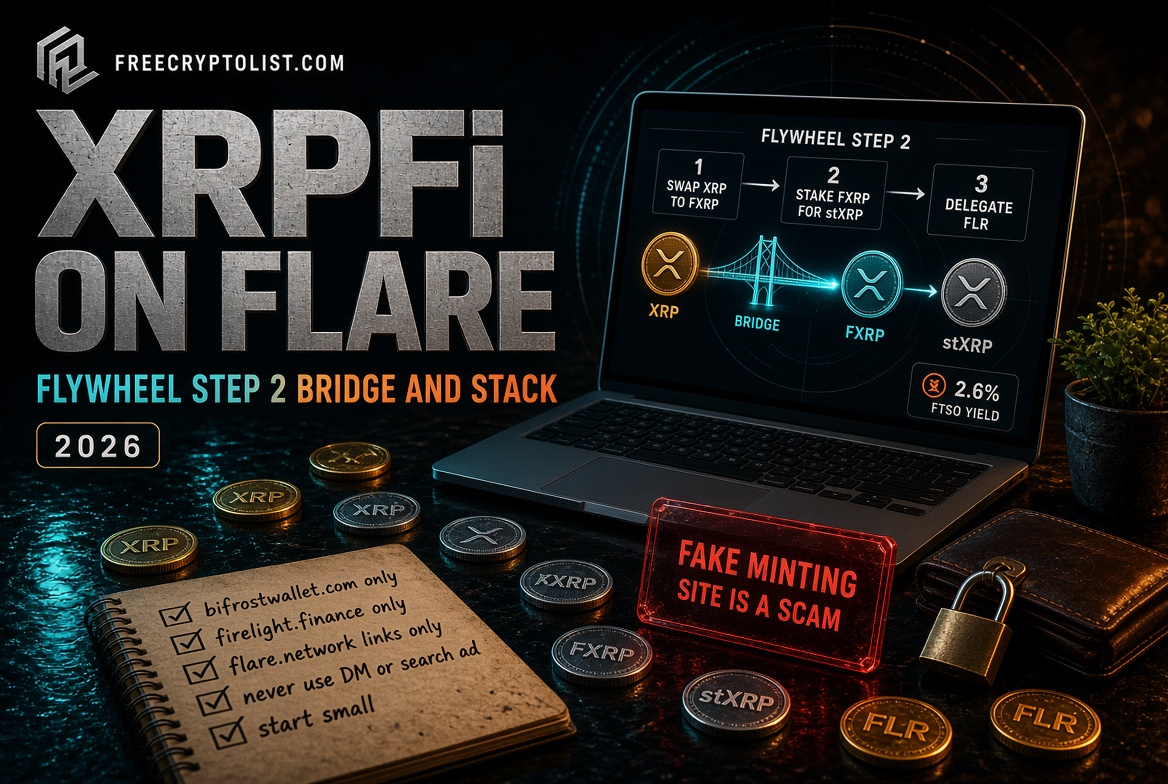
Step 2: Turn XRP into FXRP
This is the step that unlocks everything else. Minting FXRP turns your XRP into a Flare token you can use in DeFi, backed 1:1 by XRP held on the XRP Ledger.
The easy way – Bifrost’s Swap screen. Since July 2026, Bifrost lets you mint FXRP directly in the app:
- Update Bifrost Wallet to the latest version (older versions may not show the route)
- Tap the blue menu button at the bottom, then tap Swap
- Choose XRP as the token you send and FXRP as the token you receive
- Enter the amount and tap Preview Swap
- Check the details and tap Confirm
- Wait for it to finish. It usually takes about three minutes. Don’t submit a second transaction while the first is still pending
The other way – a minting app. Flare lists four apps for minting FAssets: Oracle Daemon, AU, Luminite, and Oxen Flow. These let you pick an FAssets agent (an approved operator who puts up collateral to back your FXRP), send your XRP, and receive FXRP once Flare’s Data Connector verifies the payment. You can also mint from the Xaman wallet this way, but you’ll need an EVM wallet connected for the Flare side too.
Whichever way you mint, there are small fees: a small minting fee taken from the XRP you send, plus a tiny collateral reservation fee paid in FLR. Reach minting apps only through the links on Flare’s official site, flare.network. Fake minting sites are one of the most common scams in the Flare ecosystem.
Note: we’ll add firsthand screenshots and notes from our own test mint once it’s done. If you’ve been through the process and want to share your experience, reach out via the contact page.
Step 3: Stake FXRP on Firelight – Receive stXRP
Once you have FXRP in Bifrost Wallet, you can stake it on Firelight. The official Firelight app is at firelight.finance.
- Open Bifrost Wallet and tap the browser icon
- Go to app.firelight.finance
- Tap “Stake XRP” and accept the Terms of Use and Privacy Policy on first visit
- Tap “Connect Wallet,” choose WalletConnect, then Bifrost Wallet
- Open the Staked XRP Vault, enter an FXRP amount, and tap “Deposit and Stake”
- Approve the FXRP spending in Bifrost, then tap “Finish Staking” and confirm
- You receive stXRP 1:1 for the FXRP you deposited
What you get right now:
- stXRP – a liquid token representing your staked FXRP, usable in other Flare DeFi apps
- Firelight Points – early-participation rewards tracked on the Firelight dashboard
What’s coming (Phase 2):
- Real staking rewards, paid from fees that DeFi protocols pay Firelight for on-chain cover (a kind of insurance against hacks)
- Slashing risk. If a covered protocol gets hacked and the claim is approved, a reserve called the First-Loss Buffer pays first. Beyond that, stakers’ FXRP can be reduced
- A longer unstaking window, matching 30-day cover periods
- As of Firelight’s July 2026 update, Phase 2 was being prepared, with launch partners “to be announced soon.” Follow official Firelight channels for the date
Withdrawals take time. To unstake, you start a withdrawal, which burns your stXRP, then wait out a cooldown before you can claim your FXRP from the same wallet. The cooldown length depends on the vault and is shown in the app’s Withdrawals table. Plan your cash needs around it.
Deposit limits: Firelight’s vault has a deposit cap, which has been raised before. If you see a “vault full” message, check the app for updated capacity before assuming something is wrong.
Good to know: Firelight screens deposits against sanctions and blacklist databases. In October 2026, it returned FXRP from 87 flagged addresses and barred them, then said it would reverse that policy after pushback. Rules like this can change, so keep an eye on Firelight’s announcements.
FLR Delegation – Yield on Your FLR From Day One
While Firelight’s rewards wait on Phase 2, FLR delegation pays a real, claimable yield right now. This is where your FLR starts earning immediately.
How it works:
- In Bifrost Wallet, tap FLR
- Tap the three dots and choose “Delegate”
- Wrap your FLR into WFLR (1:1, and you can unwrap any time)
- Choose one or two data providers from the list
- Set your split: 100% to one provider, or divided between two
- Turn on auto-claiming so rewards are claimed for you each epoch
What to expect:
- Rewards are paid per reward epoch, which lasts about 3.5 days
- In our own experience, delegating about 89,000 WFLR earned roughly 2.6% APY. Rates change, and 2026’s FIP.16 changes cut FLR issuance, gave staked FLR five times the weight of delegated WFLR, and set a 20% minimum provider fee, so check current numbers before you commit
- Compare providers on Flare Metrics before delegating. Look for consistent uptime and a steady reward rate
- Unclaimed rewards don’t wait forever, which is one more reason to turn on auto-claiming
Holding 50,000 FLR or more? You can also stake FLR on Flare’s P-chain with a validator. It needs a fixed lockup, but since FIP.16, staked FLR counts five times as much as delegated WFLR.
Note on FlareDrops: FlareDrops ended on January 30, 2026. Delegation rewards are a separate, ongoing part of the network and continue as normal. Any content that lists FlareDrops as an active income stream is outdated, and anyone offering a “new FlareDrop” is running a scam.
Putting FXRP and stXRP to Work – Step 3 of the Flywheel
Once you have FXRP or stXRP, you can deploy it further into DeFi. That’s Step 3 of the Flywheel. Current options include:
- Kinetic – Flare’s main lending protocol. Supply FXRP to earn interest, or use it as collateral to borrow stablecoins like USDT0. Borrowing adds liquidation risk if XRP’s price drops, so keep borrowing well below your limit
- SparkDEX, BlazeSwap, and Enosys – decentralized exchanges where you can provide liquidity, for example in FXRP/USDT0 pools. You earn trading fees and sometimes extra rewards, but take on impermanent loss
- earnXRP vaults – strategy vaults from Upshift and Clearstar that put FXRP to work for you, also available inside the Xaman wallet
- Spectra – fixed-rate yield and yield trading, for more advanced users
- Hold stXRP – the simplest option. You collect Firelight Points and will be in place when Phase 2 rewards begin, with Phase 2’s risks
About those high APRs: Flare’s 2.2 billion FLR FAssets Incentive Program, which boosted lending and liquidity rewards, ran from July 2025 through July 2026. The headline yields you saw during that period were partly incentive-driven. Always check the live rate in each app, see how much of it comes from temporary rewards, and don’t treat an incentive-period yield as permanent.
Honest Expectations
Here’s what you’re actually signing up for, without the hype:
What’s real and working today:
- FLR delegation: a modest yield paid every 3.5-day epoch, claimable in Bifrost
- FXRP minting: fully working. About 145 million FXRP were minted by FXRP’s first anniversary in September 2026, with roughly 89.5% of it deployed in DeFi
- Minting straight from Bifrost’s Swap screen, since July 2026
- Firelight stXRP: working, earning Points, and usable across Flare DeFi
- Lending on Kinetic, liquidity pools, and earnXRP vaults
Coming but not confirmed:
- Firelight Phase 2 rewards: being prepared, no firm date, and they come with slashing risk
- BTC as an FAsset: Flare says Bitcoin is next, with no firm date yet
The Flywheel case for Flare: even at conservative numbers, a position that earns delegation rewards on FLR while putting XRP to work is genuinely productive. This is a real ecosystem with real usage, not a bet on an unproven chain.
The risks are real too: FLR and XRP price swings, smart contract bugs, liquidation if you borrow, impermanent loss in liquidity pools, Phase 2 delays or slashing, and cooldowns that keep your funds locked for a while. Size your position accordingly, and never deploy money you can’t afford to have tied up.
Safety Checklist Before You Touch Anything
- Bifrost Wallet: bifrostwallet.com only
- Minting apps and the Flare Portal: open them only from the links on flare.network
- Firelight: firelight.finance only
- Flare Metrics: flaremetrics.io only
- Never use a site you reached through a DM, social media post, search ad, or email
- Flare will never contact you about a pending reward or distribution
- Flare is an EVM chain, so check what you approve and clean up old approvals with Revoke.cash
To see exactly what a fake Flare campaign looks like before you start, read this first: Fake Flare XRP Airdrop Scam →
For informational purposes only. Not financial advice. Always verify URLs before connecting your wallet.
The easiest way is Bifrost Wallet’s Swap screen: choose XRP as the token you send and FXRP as the token you receive, preview, and confirm. It usually takes about three minutes. You can also use one of the minting apps listed on Flare’s official site. You need some FLR in your wallet for fees.
Flare says you need at least 13 XRP to cover the minted amount and fees, because FXRP is minted in fixed-size lots. A new XRP Ledger account also needs a 1 XRP reserve that stays locked in the account.
Not real staking rewards yet. You receive stXRP and Firelight Points. Rewards are planned for Phase 2, paid from fees DeFi protocols pay for on-chain cover. Phase 2 also adds slashing risk, meaning stakers can lose part of their FXRP if a covered protocol is hacked.
Withdrawals have a cooldown. You start a withdrawal, which burns your stXRP, then claim your FXRP from the same wallet once the cooldown ends. The length depends on the vault and is shown in the app’s Withdrawals table. Phase 2 will bring a longer unstaking window to match 30-day cover periods.
FLR delegation is the simplest starting point. You wrap FLR into WFLR in Bifrost Wallet, delegate it to a data provider, and turn on auto-claim. Your tokens can be unwrapped any time, and rewards are paid every 3.5-day epoch. Start small and use only official links.
Many headline yields were boosted by Flare’s 2.2 billion FLR FAssets Incentive Program, which ran from July 2025 through July 2026. Always check the live rate in each app, see how much comes from temporary rewards, and don’t treat an incentive-period yield as permanent.
Sources
- Bifrost Wallet – How to mint and redeem FXRP via Swap (Jul 2026)
- Bifrost Wallet – How to stake FXRP on Firelight (Mar 2026)
- Flare Network – FAssets
- Flare Network – Mint FXRP using Xaman (Oct 2025)
- Flare Developer Hub – FAssets operational parameters
- Flare Network – FAssets Incentive Program
- Firelight – Everything stakers need to know about Phase 2 (Jul 2026)
- KuCoin News – Firelight to roll back blacklist process (Oct 2026)
- DefiLlama Research – Flare’s tokenomics revamp (Sep 2026)
- KuCoin News – 145M FXRP minted on Flare (Sep 2026)
- XRPL.org – Lower reserves are in effect
📖 In This Series Flare XRPFi Explained · Flare FIRE Mechanism · Fake Flare XRP Airdrop Scam · The Compounding Flywheel