How to Cash Out Crypto: The Complete Off-Ramp Guide
If you’ve been earning, staking, or trading crypto for a while and still haven’t actually converted any of it to real money, you’re not alone, and you’re not behind. Buying crypto gets covered everywhere. Actually turning it back into spendable cash, with reasonable fees and without a tax surprise, gets covered almost nowhere. This guide fixes that.
If you don’t have a US bank account or PayPal at all, our dedicated guide covers P2P trading, mobile wallets, and country-specific notes for that situation. This guide assumes you do have normal banking access and walks through every realistic way to convert crypto to cash from there.
What “Off-Ramping” Actually Means
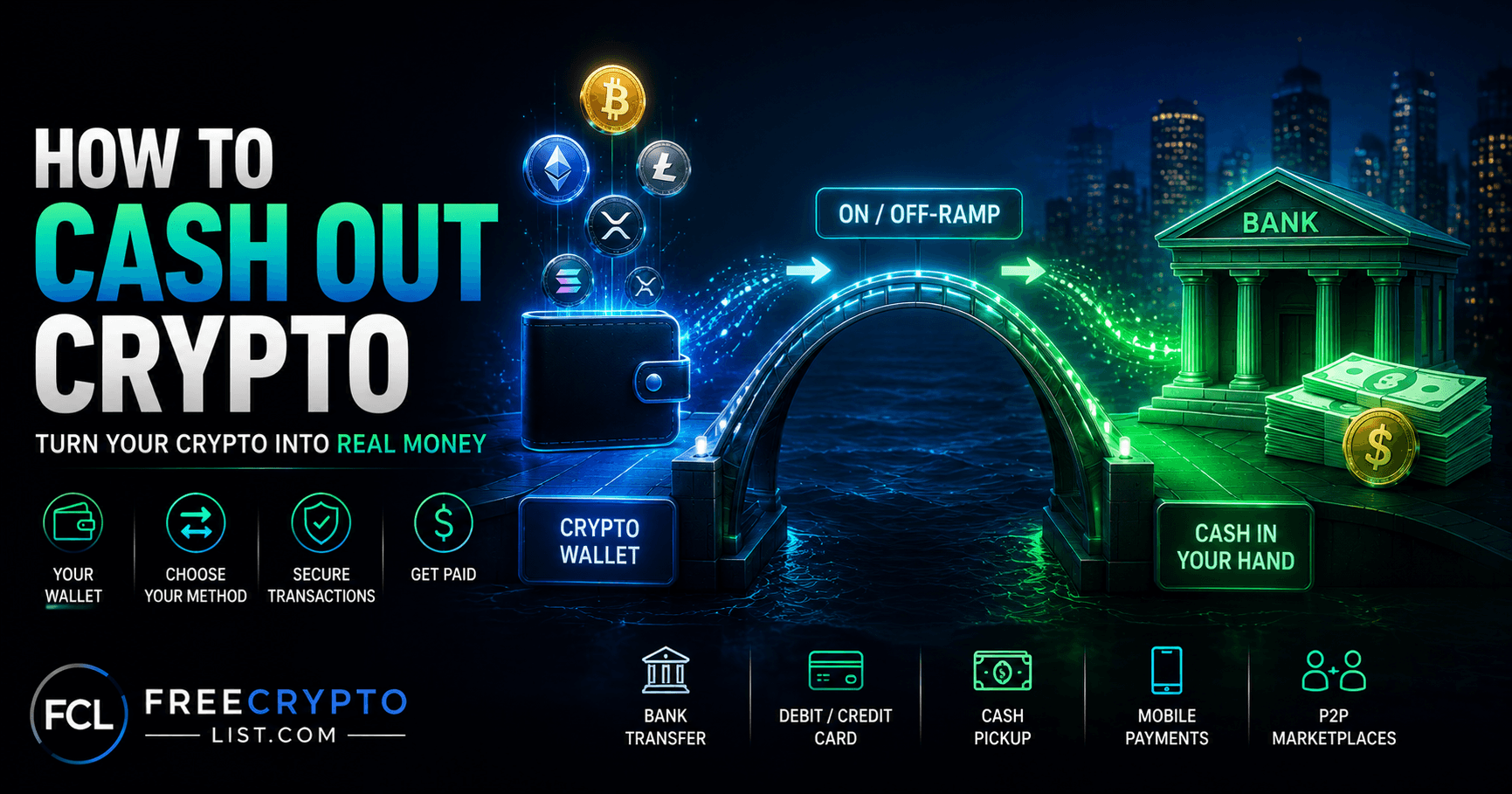
Buying crypto with fiat is “on-ramping” (see our guide to buying your first cryptocurrency for that side). Off-ramping is the reverse: converting crypto back into fiat currency you can spend or deposit.
The part that trips people up: selling and withdrawing are two separate steps. Selling crypto on an exchange gets you a USD balance sitting on that exchange, not money in your bank account. Getting it from “USD balance on Coinbase” to “money in your checking account” is a second action, with its own fees, its own processing time, and sometimes its own security hold. Most of the friction people hit happens at this second step, not the first.
Method 1: Sell on an Exchange, Withdraw to Your Bank
This is the most common path and, for most people, the cheapest one.
How it works: place a sell order on a regulated exchange, the proceeds land in your USD balance on that platform, then you initiate a separate withdrawal to your linked bank account.
- Trading fees: standard app runs roughly 1.49% to 3.99% plus a spread of about 0.5%. Switching to Advanced Trade drops this to 0% to 0.60% (maker/taker model based on 30-day volume).
- Withdrawal: ACH is free (1 to 3 business days). Wire costs $25 but usually completes same-day. Instant payout to a linked debit card or PayPal runs 1.5% to 2%.
- If you’re staking on Coinbase, know that they take a real cut before rewards ever hit your account: 25% commission on ETH staking rewards, 35% on most others (SOL, ADA, DOT, ATOM, AVAX, XTZ), reduced somewhat with a paid Coinbase One membership. That’s a factor worth knowing when comparing net staking yield to other options.
- Trading fees on Kraken Pro: 0.25% maker / 0.40% taker at the base tier, dropping as low as 0% / 0.05% at higher volume. The simple “Instant Buy/Sell” interface carries a flatter ~1% fee plus spread.
- Withdrawal: ACH is free, often same-day if submitted before 2pm ET. Wire runs roughly $5 to $10.
- The gotcha: any deposit made via ACH, PayPal, debit, or credit card triggers a 72-hour withdrawal hold before you can pull that money back out. ACH deposits made via Plaid specifically are held from withdrawal for a full 7 days. This isn’t a bug or a problem with your account, it’s Kraken’s standard fraud-prevention policy, but it catches people off guard when they’re expecting same-day access.
Binance.US: legally distinct from the international Binance platform, which US residents cannot use at all. Binance.US itself isn’t available everywhere: as of current reporting it’s restricted in New York, Texas, Washington, Ohio, Oregon, Connecticut, Georgia, Maine, North Dakota, North Carolina, Vermont, and Alaska, and some supported states are “crypto-only” without USD services. Check your state’s status before assuming it’s an option.
| Platform | Trading Fee | ACH Withdrawal | Wire Withdrawal | Withdrawal Hold |
|---|---|---|---|---|
| Coinbase | 1.49-3.99% (standard) / 0-0.60% (Advanced) | Free, 1-3 days | $25, same-day | Varies by verification |
| Kraken | 0.25-0.40% base tier | Free, often same-day | ~$5-10 | 72hr (card/ACH/PayPal-funded) / 7 days (Plaid) |
| Binance.US | 0-0.02% flat | Varies | Varies | State-restricted availability |
Method 2: PayPal
If you already trust PayPal more than a crypto exchange, this genuinely works. You can sell crypto directly within PayPal’s own crypto hub, or transfer supported crypto in from an external wallet first, and the proceeds land in your PayPal balance.
What’s supported: Bitcoin, Ethereum, Litecoin, Bitcoin Cash, and PYUSD. That’s it, not your SOL or XCN from a faucet payout, so you’d need to convert into one of these first through another platform.
Fees: a variable buy/sell fee based on transaction size, plus a spread of up to roughly 2.5% on the crypto conversion itself. Where PayPal genuinely wins: withdrawing the resulting USD balance to a US bank account is a flat $1.50, dramatically cheaper than Coinbase’s $25 wire.
Good for: beginners who don’t want to learn a new exchange interface, and who are working with one of the four supported coins.
Method 3: Crypto Debit Cards
Cards like the Coinbase Card let you spend crypto directly at any Visa-accepting merchant without a separate “cash out” step. Worth understanding one thing clearly: every swipe funded by non-stablecoin crypto is a taxable sale. Buy a coffee with BTC on the card, and that’s a disposal event for tax purposes, same as if you’d sold it on an exchange. Funding the card with USDC avoids this, since a stablecoin sale at $1 doesn’t generate a gain or loss.
Fee structures on these cards shift often and different reviews report meaningfully different numbers for the same card in the same month, so I’d treat any specific percentage as a “verify before you rely on it” situation rather than something to quote confidently here.
Method 4: Crypto ATMs (Read This Before You Use One)
Crypto ATMs are fast and require nothing but cash, but they’re consistently the most expensive way to convert in either direction. Fees run 10% to 25% all-in, combining a visible service fee (often 10-20%) with a hidden spread against the live market rate that’s easy to miss on the confirmation screen. A $200 cash-out at a typical machine can net you $150 to $180.
There’s also a $10,000 daily cash limit tied to federal Currency Transaction Report requirements. If you do need to use one, Coin ATM Radar lets you compare nearby machines and operators before committing, since fees vary significantly by brand and location.
Our take: a crypto ATM makes sense for a genuine emergency where speed matters more than 15-20% of your money. For anything else, it’s the most expensive method on this page by a wide margin.
Method 5: Embedded “Sell” Buttons in Wallets and DeFi Apps
If your wallet or a DeFi app has a built-in “Sell” or “Cash Out” button, it’s almost never doing the conversion itself. It’s running on one of a small number of infrastructure providers behind the scenes:
- MoonPay — sell rate around 1% above mid-market plus a $3.99 minimum on card payouts, though independent analysis puts the effective cost, including spread, at 7-8% on card transactions specifically.
- Ramp Network — 0.49% to 2.9% on sells, cheapest via SEPA in the EU, priciest via US ACH.
- Transak — 0.5% to 5.5% depending on payment rail and country.
- Alchemy Pay — a fiat-crypto payment gateway (ticker ACH) licensed as a money transmitter in a growing number of US states. Worth a direct note: this is a different company from “Alchemy” the Web3 developer/node infrastructure platform, the name overlap trips people up regularly.
- One dead one worth knowing if you run into older guides: Wyre shut down in January 2023 and is no longer a live option anywhere.
The real lesson across all of these: advertised “fees from X%” numbers are consistently misleading, because they leave out the spread. What actually matters is “net received”, the amount that lands in your account after every cost layer, not the headline percentage on the landing page.
DeFi apps work the same way. A protocol doesn’t build its own fiat rails; it plugs one of these providers in. Scallop, a DeFi money market on Sui, is a real example, its sell button runs on Alchemy Pay’s infrastructure rather than anything Scallop built itself.
A note for Stellar wallet users (Lobstr and similar)
If you use a Stellar-based wallet like Lobstr, you’ll actually find two distinct off-ramp paths, and they work differently. The “Sell” button is MoonPay, same mechanism as above. But Stellar-native “anchored” assets (like anchored USD) have a separate “Withdraw” button that routes through Stellar’s own anchor network, a system unique to Stellar, historically including a MoneyGram partnership that let users cash out to physical MoneyGram locations worldwide. If you’re using Lobstr for USDY or other Stellar-based assets, it’s worth knowing which button you’re actually pressing.
Method 6: P2P Trading
Selling directly to another person, rather than through an exchange order book, is also a legitimate off-ramp for US users, not just people without bank access. It can sometimes get you a better rate than an exchange, though it takes more diligence. We cover this in full, including platform picks and safety rules, in our guide to earning crypto without a bank account, since the mechanics are identical whether or not you have a bank.
Use a Stablecoin as a Buffer
If you’re not converting immediately, moving volatile crypto into USDT or USDC first, then completing the fiat conversion when convenient, protects you from price swings during a multi-day withdrawal window. This matters more than people expect: if you sell BTC and then hit Kraken’s 72-hour hold, or Coinbase’s multi-day ACH settlement, you’re exposed to market movement during that wait only if you’re still holding something volatile. A stablecoin removes that variable entirely.
What Happens Tax-Wise the Moment You Sell
Selling crypto for fiat is a taxable event in the US, full stop, regardless of which method above you use.
Form 1099-DA is now live, and the mechanics matter more than most people realize. Brokers, a definition broad enough to include exchanges, crypto ATM operators, and embedded ramp providers, started issuing these for 2025 transactions in early 2026, reporting gross proceeds only.
Here’s the part worth understanding carefully. The IRS draws a line between “covered” and “noncovered” digital assets. A covered asset is one you bought and held continuously within the same broker account, starting with assets acquired on or after January 1, 2026, those get full cost basis reporting once that phase begins. A noncovered asset is anything acquired before 2026, or, critically, anything transferred in from an external wallet or a different exchange, even if you bought it five minutes before moving it. For noncovered assets, the exchange has no way of knowing what you originally paid, so the cost basis field on your 1099-DA shows up blank or “unknown.”
This creates a real, well-documented trap. Say you bought Bitcoin on one exchange for $30,000, moved it to Coinbase for safekeeping, and later sold it there for $95,000. Coinbase’s 1099-DA reports $95,000 in proceeds with no cost basis attached, because Coinbase genuinely doesn’t know what you paid. If you don’t separately report your actual $30,000 cost basis when you file, the IRS’s matching system sees $95,000 in proceeds with nothing offsetting it, and you risk being taxed on the full $95,000 as if it were pure profit, rather than your actual $65,000 gain.
The fix is on you, not the exchange. Coinbase’s own help documentation states this directly: for noncovered assets, “you, the customer, are solely responsible for tracking, calculating, and reporting your cost basis to the IRS.” This applies just as much to a faucet payout you moved between wallets, or a staking reward you bridged from one chain to another, as it does to a straightforward exchange-to-exchange transfer. If you’ve moved crypto around at all, and most people reading this site have, keep your own records of what you originally paid (or what the fair market value was when you received it, for earned crypto), independent of whatever the exchange’s 1099-DA shows. Crypto tax software or a CPA familiar with digital assets can help reconstruct this if your records are incomplete.
The general capital gains framework still applies underneath all this: assets held one year or less before selling are taxed as short-term gains at ordinary income rates; assets held longer than a year qualify for lower long-term capital gains rates. For the specifics of filing, see our guides on crypto taxes in the US and tax treatment of free crypto earnings. This isn’t tax advice, just an explanation of how the reporting mechanics work, talk to a tax professional for your specific situation.
Common Mistakes
- Not completing identity verification ahead of time. Verification delays are the single most common reason people can’t access funds exactly when they need them. Do this before you need to withdraw, not during an emergency.
- Underestimating withdrawal holds. Kraken’s 72-hour/7-day holds and multi-day ACH settlement windows are normal, not errors, but they catch people off guard if they assumed instant access.
- Choosing instant/card withdrawal for large amounts. The 1.5-2% instant fee is fine on $50. On $5,000 it’s real money, batch into fewer, larger, ACH-based withdrawals when you can.
- Not keeping your own cost basis records when moving crypto between wallets or exchanges. As covered above, this is the difference between paying tax on your actual gain and potentially paying tax on the full sale amount.
- Not setting aside money for taxes before spending everything. A sale is a taxable event the moment it happens, not when you file. Plan for it.
- Using a crypto ATM for anything beyond a genuine emergency, given the 10-25% cost.
- Watch for fake “customer support” numbers in search results. While researching this guide, we ran into multiple SEO spam pages listing fake phone numbers claiming to be official exchange support lines. If you’re searching for help with a stuck withdrawal, go directly to the platform’s own site, never a phone number from a random search result or article comment.
For most US users, selling on a regulated exchange like Coinbase or Kraken and withdrawing via ACH is the cheapest path, ACH withdrawals are typically free, though they take 1-3 business days. PayPal’s flat $1.50 bank withdrawal fee is even cheaper for the limited set of coins it supports. Crypto ATMs are consistently the most expensive option, often 10-25% of your total.
Most exchanges place a temporary hold on funds funded through certain methods as a fraud-prevention measure. Kraken, for example, holds ACH, PayPal, and card-funded deposits for 72 hours, and ACH-via-Plaid deposits for 7 days, before they can be withdrawn. This is standard policy, not an error with your account.
It works well if you’re dealing with Bitcoin, Ethereum, Litecoin, Bitcoin Cash, or PYUSD specifically, and you value the familiar interface and cheap $1.50 bank withdrawal fee. It doesn’t support most other coins, so crypto earned from faucets or altcoin staking usually needs to be converted elsewhere first.
Yes, if the card is funded by non-stablecoin crypto. Every purchase liquidates crypto at the point of sale, which is a taxable disposal event, the same as selling on an exchange. Funding the card with a stablecoin like USDC avoids this since a $1-pegged asset doesn’t generate a gain or loss.
You could be, if you don’t correct it. When crypto moves between wallets or exchanges, the receiving platform usually has no record of what you originally paid, so it reports your sale proceeds on Form 1099-DA with the cost basis field blank or “unknown.” Without your own records showing your actual purchase price, the IRS’s matching system can treat the entire sale amount as taxable gain instead of just your real profit. Keeping independent records of your cost basis, or using crypto tax software, is the fix.
Form 1099-DA is a new IRS form that crypto brokers, including exchanges, ATM operators, and card processors, use to report your digital asset sales. It started with 2025 transactions, reported in early 2026, covering gross proceeds only. Cost basis reporting begins with 2026 transactions, and only for assets held continuously within the same broker account. You’re required to report crypto sales regardless of whether you receive this form.
No, they’re different companies that happen to share part of a name. Alchemy Pay (ticker ACH) is a fiat-crypto payment gateway that powers “sell for cash” buttons embedded in wallets and DeFi apps. Alchemy is a separate Web3 developer infrastructure company that provides blockchain node access and APIs. They’re unrelated businesses.
Only when speed genuinely matters more than cost, like a real emergency. Fees typically run 10-25% all-in once you account for both the visible service fee and the hidden spread against market price, making them the most expensive method covered in this guide by a wide margin.
Sources (updated with the new tax additions):
- Coinbase Fees 2026: A Full Breakdown – BitDegree
- Coinbase Staking 2026: Rates, Coins and How It Works – Wealthvieu
- Cash withdrawal options (fees, minimums and processing times) – Kraken Support
- List of supported and unsupported states and regions – Binance.US Help Center
- PayPal Consumer Fees – PayPal
- The Truth About Bitcoin ATM Fees – Coincub
- Crypto On-Ramp Comparison: MoonPay, Ramp, Transak, and More – Spark
- MoonPay partnership: Selling Lumens and other crypto with LOBSTR – LOBSTR Support
- IRS Form 1099-DA – Coinbase Help
- 1099-DA Guide: What Crypto Investors Must Know Before Filing – Camuso CPA
- Got a 1099-DA? Here’s Why It’s Incomplete – CoinLedger