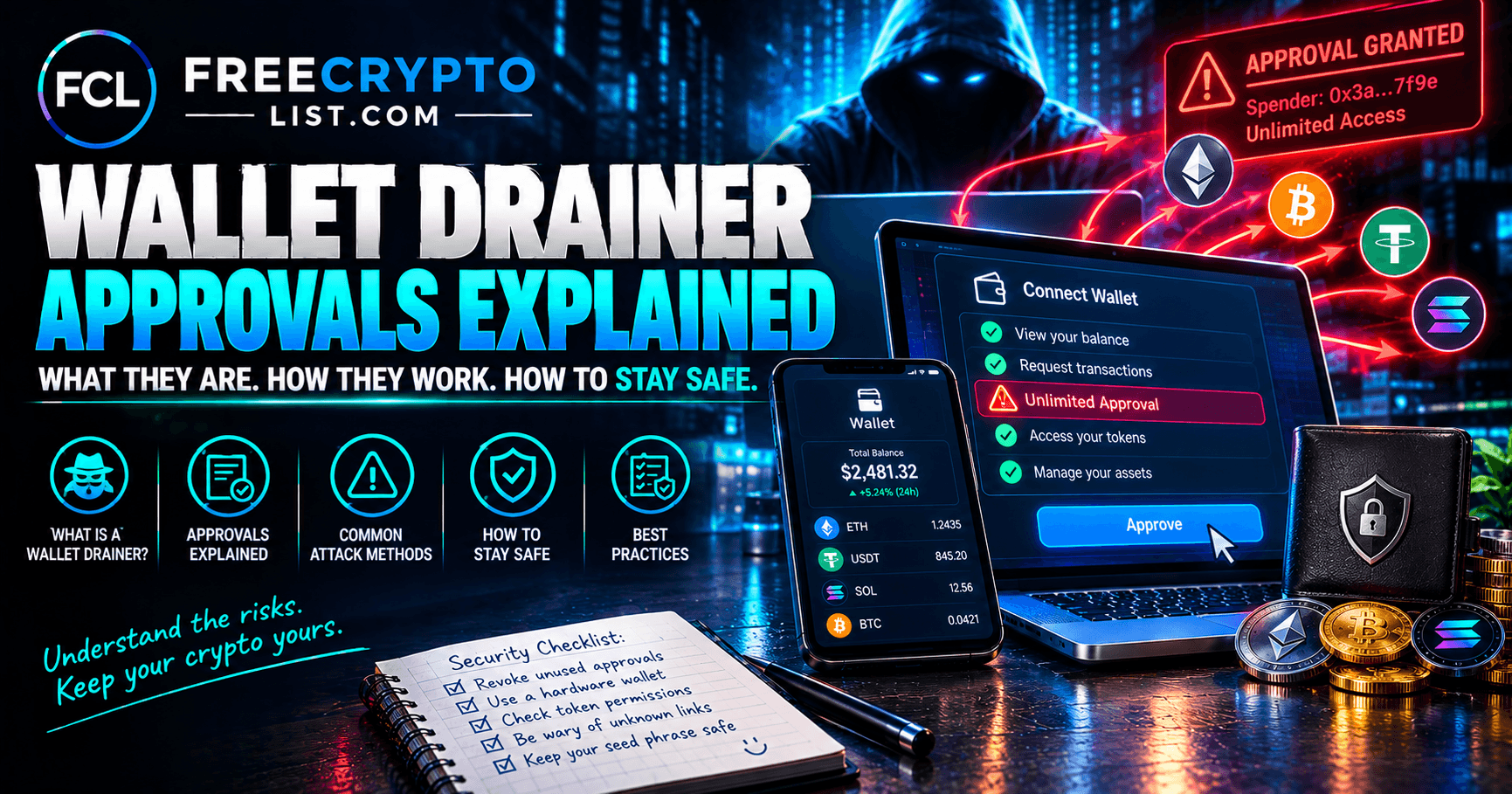
Wallet Drainer Approvals – What You’re Actually Signing When You Connect Your Wallet
Updated October 4, 2026
“Just connect your wallet to check your eligibility.”
That phrase – or some variation of it – appears on every fake airdrop site, every honeypot token page, and every malicious DeFi protocol we have documented on this site. It sounds routine. It is not.
Connecting your wallet on its own is low-risk. The danger is what the site asks you to sign next. Depending on what you sign, you may be granting that site’s smart contract permission to transfer every token in your wallet – instantly, automatically, and irreversibly. The short version: before you approve or sign anything, check which contract you’re approving, for how much, and whether you reached the site on your own. If you can’t answer all three, reject it.
This guide explains exactly what happens at a technical level, in plain English, so you understand what you are agreeing to before you sign anything.
Three Different Actions – Connect, Approve, and Sign
The first thing to understand is that “connecting your wallet,” “approving a token,” and “signing a message” are three different actions with very different consequences.
Connecting your wallet is low-risk. When you click “Connect Wallet” and your MetaMask or Phantom popup appears, you are giving the site permission to see your wallet address and balances. Nothing can be moved by connecting alone. It’s like showing someone your bank account number – they can see it, but they can’t withdraw from it. The catch is that a malicious site will immediately follow the connection with a request to approve or sign something.
Approving a token is where the risk begins. A token approval is a transaction that grants a smart contract permission to move a specific token from your wallet, up to a specified amount, at any time in the future – without asking you again.
Signing a message can be just as dangerous. Some signature requests look like a harmless “sign this message” popup but carry the same spending permission as an approval. We cover these in detail below.
Legitimate DeFi protocols use approvals all the time. When you swap tokens on Uniswap, you first approve Uniswap’s contract to access your tokens. When you deposit into a lending protocol like Aave, you approve that protocol’s contract. This is normal DeFi mechanics – our beginner’s guide to DeFi explains why it works this way.
Malicious sites exploit the same mechanism. The difference is in who you are approving and for how much.
How Big Is the Problem?
Blockchain security firm Scam Sniffer tracked $83.85 million stolen by wallet drainers in 2025, across more than 106,000 victims. That’s actually down 83% from $494 million in 2024 – better wallet warnings and more awareness are working. But the attacks that do succeed are getting more targeted. The biggest single theft of 2025 was $6.5 million taken through one Permit signature, and Permit-style signatures accounted for 38% of losses in the large cases Scam Sniffer analyzed. Drainers haven’t gone away; they’ve shifted toward signatures that are harder to recognize.
The Unlimited Approval Problem
When a legitimate protocol asks for a token approval, the responsible ones ask for exactly the amount needed for your transaction – no more. Many DeFi interfaces, however, default to requesting “unlimited” approval – meaning the contract can move as many tokens as you hold, as many times as it wants, until you revoke it.
This is where wallet drainers operate.
A wallet drainer is a malicious contract, usually rented out as a ready-made kit to scammers, designed to collect approvals from as many wallets as possible and then transfer those tokens to the attacker. Most drainers sweep your tokens within seconds of you signing, using automated bots. You click “Confirm,” and by the time you check your wallet, it’s empty.
Old unlimited approvals carry a quieter risk too. If a legitimate protocol you approved months ago is later hacked, the attacker can use those leftover approvals to pull tokens from users who never touched the protocol again. That’s why cleaning up approvals matters even if you’ve never visited a scam site.
What a Malicious Approval Actually Looks Like
When MetaMask or another wallet shows you a transaction to sign, it displays the details of what you are approving. Most people click through without reading. Here is what to look for:
The spender address – this is the smart contract you are granting permission to. Before signing any approval, check this address on Etherscan. Is it verified? Does it match the protocol you think you’re using? An unverified contract with no transaction history is a red flag.
The amount – legitimate approvals for a specific transaction will show the exact amount needed. An approval requesting “unlimited” or an astronomically large number (like 115792089237316195423570985008687907853269984665640564039457584007913129639935 – the maximum uint256 value) for a simple claim or eligibility check is a drainer request.
The token – which token is being approved? Some drainers target your most valuable holdings specifically. Others ask you to approve several tokens in a row.
“Set approval for all” – for NFTs, this grants a contract permission to move every NFT in an entire collection you hold. There’s almost never a reason to grant this on a site you don’t already know and trust.
The wrong kind of request for the job – “claiming” a free airdrop should never require you to approve a token you already own. If a “free claim” asks for an approval, that’s the drainer.
Your wallet’s warnings – MetaMask, Phantom, and other major wallets now simulate transactions and flag known malicious sites and suspicious requests. Never click past a red warning on a site you reached through a link someone sent you.
How Drainers Are Deployed
Understanding how wallet drainers reach victims helps you recognize the pattern before you interact.
Fake airdrop sites – as documented in our fake Flare XRPFi airdrop investigation, malicious sites are built to look like legitimate project announcements. Every button on these sites routes to an approval or signature prompt.
DMs from fake moderators – someone “helpfully” messages you about an unclaimed reward and sends a link. We dissected a real one in “You Have a 45% Airdrop Reward Waiting”.
Compromised Discord and Telegram links – attackers gain access to legitimate project community channels and post malicious links disguised as official announcements. See our Discord and Telegram social engineering guide.
Search engine ads and fake apps – attackers buy search ads for terms like “Uniswap,” “MetaMask download,” or “Coinbase Wallet.” The ad leads to a pixel-perfect copy of the real site or app. Our fake crypto apps guide covers the app store version of this attack.
Unexpected tokens and NFTs – tokens that appear in your wallet uninvited often link to a “claim” or “sell” site that requests an approval. Interacting with them is how you get drained. Our honeypot tokens guide explains this trap.
Signature Drains – The Most Dangerous Evolution
Standard token approvals appear as transactions and cost gas – giving you a moment to review what you are signing. Signature-based drains are more dangerous because they don’t look like transactions at all.
Permit (EIP-2612) – a standard that lets token approvals be signed as messages rather than transactions. Message signatures are free, instant, and don’t show up on the blockchain until they’re used. They look like a simple “sign this message” popup. You sign, nothing visible happens – then the attacker submits your signed permit and drains the token in one transaction.
Permit2 – a widely used approval system originally built by Uniswap. Once you’ve approved a token to Permit2 (which many apps ask you to do), a single Permit2 signature can authorize a spender to move that token. Drainers love it because one signature can cover tokens you approved for completely legitimate reasons months ago.
EIP-7702 delegation – since Ethereum’s Pectra upgrade in May 2025, a regular wallet can sign an authorization that temporarily lets a smart contract act on its behalf. Used legitimately, this enables features like batched transactions. Used maliciously, one signature can hand your entire account’s behavior to an attacker’s contract. Scam Sniffer recorded $2.54 million in large-case losses from malicious EIP-7702 batches in 2025, and researchers found that the large majority of early 7702 delegations pointed at copy-paste “sweeper” contracts built to steal funds.
This is why “just signing a message” is not safe on a site you don’t trust. Message signatures can carry the same permissions as transaction approvals, and sometimes more.
What About Solana?
Solana doesn’t use the same long-lived token approvals as Ethereum, so Solana drainers work differently. Instead of collecting an approval to use later, they usually get you to sign a single transaction that transfers your tokens – or hands over control of your token accounts – right then. Phantom and other Solana wallets show a simulated preview of what a transaction will do. If the preview shows assets leaving your wallet when you expected to receive something, reject it.
How to Check What You Have Already Approved
If you have been using DeFi for any length of time, you almost certainly have outstanding token approvals you have forgotten about. This is normal – and manageable.
Revoke.cash is the standard tool for reviewing and revoking token approvals on Ethereum and most EVM chains. Connect your wallet, and it shows the approvals you’ve granted – which contract, which token, what amount. You can revoke any approval with one click.
Etherscan Token Approval Checker (etherscan.io/tokenapprovalchecker) offers similar functionality for Ethereum.
What to do when you find suspicious approvals:
- Revoke any approval for a contract you do not recognize
- Revoke any unlimited approvals for contracts you no longer actively use
- Revoke anything granted to an unverified contract address
- If you’ve approved tokens to Permit2 and no longer need them, revoking that approval also blocks any unused Permit2 signatures for those tokens
Revoking costs a small gas fee but is always worth doing for suspicious or unused approvals.
Best Practices Going Forward
Before signing any approval or signature:
- Read what the popup says – token, amount, spender address
- Check the spender address on Etherscan – is it verified? Does it match the protocol you think you are using?
- If the amount is “unlimited” and you are not certain why, reject it and look for a way to approve only the amount needed
- Verify you are on the correct URL – malicious sites use domains that look almost identical to real ones
- Take your wallet’s security warnings seriously
General wallet hygiene:
- Keep your main holdings in a hardware wallet, and never connect it to unfamiliar sites
- Use a separate “burner” hot wallet with minimal funds for new protocols and airdrops – if it gets drained, the damage is contained
- Review your approvals on Revoke.cash monthly and revoke anything you no longer use
Never:
- Sign anything on a site you reached through a link in a DM, email, or social media post without verifying the URL independently
- Sign anything on a site that appeared in a search engine ad rather than organic results
- Assume “just signing a message” is safe – Permit, Permit2, and EIP-7702 signatures carry real permissions
What To Do If You Have Been Drained
Act immediately – attackers move funds quickly. What you do first depends on how you were drained.
If you signed a malicious approval or signature (your seed phrase is still private):
- Revoke every approval you don’t recognize on Revoke.cash – the drainer may still have permission for tokens it hasn’t taken yet
- Move everything that’s left to a completely fresh wallet that has never been connected to any site
- Treat the old wallet as burned – don’t keep using it as a main wallet even after revoking
If your seed phrase or private key was exposed (you typed it into a site, stored it digitally, or installed malware), revoking won’t help – the attacker controls the wallet itself. Automated “sweeper” bots often watch compromised wallets and grab anything that arrives, including gas money you send in to rescue your tokens. Don’t send more funds into a compromised wallet. Move anything that can still be moved, and assume the wallet is permanently lost.
Either way:
- Report the theft to the FBI at ic3.gov and the FTC at reportfraud.ftc.gov, and save the transaction hashes and scam site URL
- Warn the real project’s community if the drainer impersonated a specific project
- Ignore anyone who contacts you offering to recover your funds for a fee – recovery scams target people who’ve just been drained
Crypto transactions are irreversible, and drained funds are almost never recovered. The realistic goal after a draining event is containment – protecting what remains and preventing it from happening again. Our complete crypto security guide covers the broader recovery checklist.
Where Hardware Wallets Fit In
A hardware wallet keeps your private keys offline, so malware and fake websites can’t steal them. Every transaction requires a physical button press on the device. That eliminates the most catastrophic scenario – a remote attacker taking your keys and emptying your wallet whenever they like.
But be clear about what it doesn’t do: a hardware wallet can’t stop you from approving a drainer yourself. If you connect it to a malicious site and confirm a bad approval or signature on the device, your tokens can still be taken. Ledger and Trezor increasingly show approvals in readable form (“clear signing”), but some requests still appear as raw data – known as blind signing. If your device can’t show you plainly what you’re approving, don’t approve it on a site you don’t fully trust.
Used together – hardware wallet for your main holdings, a burner wallet for anything new, and the habit of reading every request – you’ve closed off nearly every path drainers use.
If you’re holding any meaningful amount of crypto, a hardware wallet is still the single highest-impact security purchase you can make. We’ve reviewed the main options in depth:
- 👉 Ledger – the most popular hardware wallet, with a wide device lineup (read our Ledger review)
- 👉 Trezor – open-source hardware wallet with a strong community track record (read our Trezor review)
- 👉 Tangem – card-style wallet with seedless backup (read our Tangem review)
Some links on this page are affiliate links. Our ratings and recommendations are not affected by them – see how we rate opportunities.
📖 Related Articles
- Fake Flare XRP Airdrop – A Live Documented Wallet Drainer
- Honeypot Tokens – The Scam That Shows You Profits You Can Never Spend
- How to Stay Safe in Crypto – Complete Security Guide
- Pig Butchering – The Crypto Scam That Starts With a Wrong Number Text
- Crypto Security Hub
Sources
- Scam Sniffer – 2025 Crypto Phishing Report
- CoinDesk – Malicious EIP-7702 sweeper contracts after Pectra (Wintermute research)
- Ethereum Improvement Proposals – EIP-2612 (Permit)
- Ethereum Improvement Proposals – EIP-7702
📖 In This Section Real Scam DM Dissected · Honeypot Tokens · Complete Security Guide