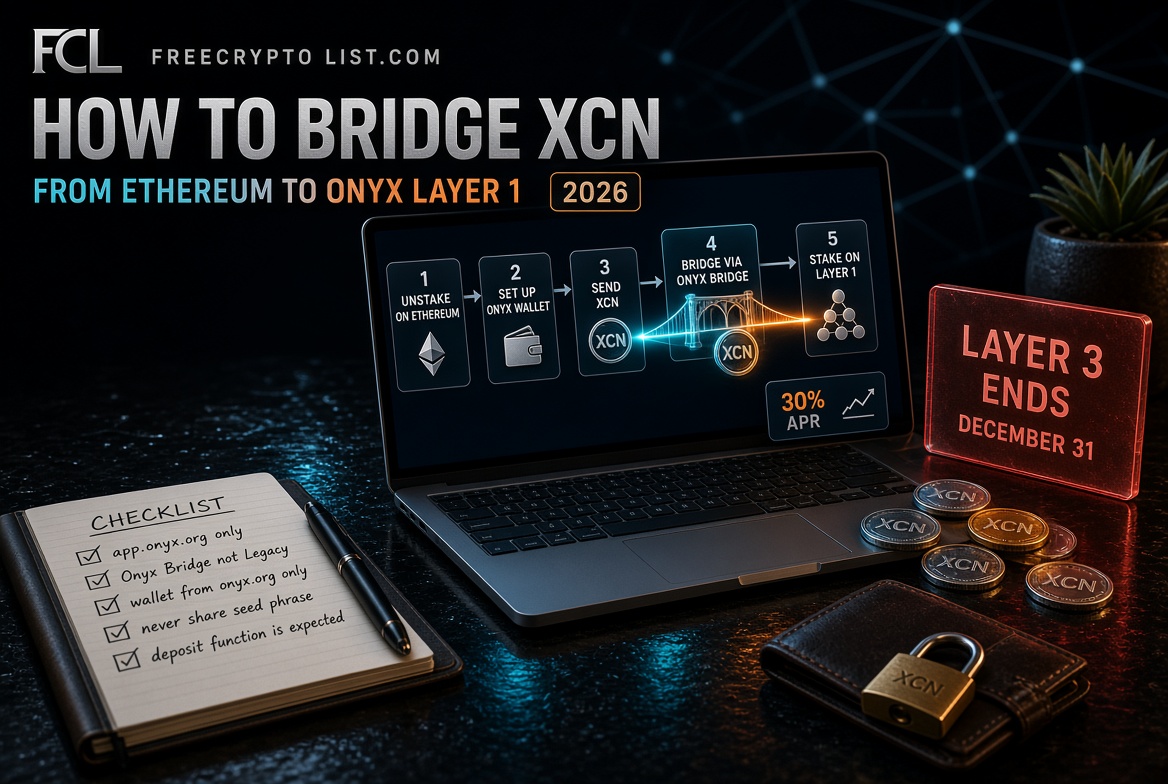
How to Bridge XCN from Ethereum to Onyx Layer 1 – Step by Step Guide
Updated October 10, 2026
If you hold XCN on Ethereum and want to stake it on Onyx Layer 1, this guide walks you through the exact process, from unstaking on Ethereum all the way to staking on Layer 1. Every step and screenshot comes from a real migration we did in July 2026.
The short version: unstake your XCN on Ethereum if it’s staked, send it to the Onyx Wallet, bridge it to Layer 1 with the free Onyx Bridge, and stake it there for stXCN. The bridge step itself took about 2-3 minutes, and our whole migration cost under $0.20 in gas. Layer 1 staking currently pays about 30% APR, but that rate isn’t guaranteed. Use only official links, and read the October update just below before moving a large amount.
For the full background on why Onyx is moving to Layer 1, and the December 31, 2026 deadline for the old Layer 3, read Onyx XCN Layer 1 Migration – What Holders Need to Know.
October 2026 update: On October 6-7, about 620 million XCN moved out of the Onyx DAO’s Ethereum treasury. Reports described it as a planned migration step, while security firm Blockaid flagged a possible exploit at the same time. As of October 10, Onyx hadn’t published an explanation we could find. The bridge and staking steps below are unchanged, but it’s reasonable to wait for official word from onyx.org or @Onyx on X before moving a large amount, and to start with a small test.
What You Need Before You Start
- XCN on Ethereum – either staked (you’ll unstake first) or sitting in a wallet
- Onyx Wallet – the official wallet for the Onyx ecosystem, for iOS and Android. Download it only through the links on onyx.org
- A small amount of ETH – for Ethereum gas fees. Our whole migration cost under $0.20 in gas
- MetaMask or another Ethereum wallet – if that’s where your XCN is now
Part 1 – Unstake Your XCN on Ethereum (If It’s Staked)
If your XCN is already sitting in a wallet, skip to Part 2.
If you’re staking on Ethereum through app.onyx.org, unstake first.
Step 1: Open app.onyx.org in your browser and connect your Ethereum wallet.
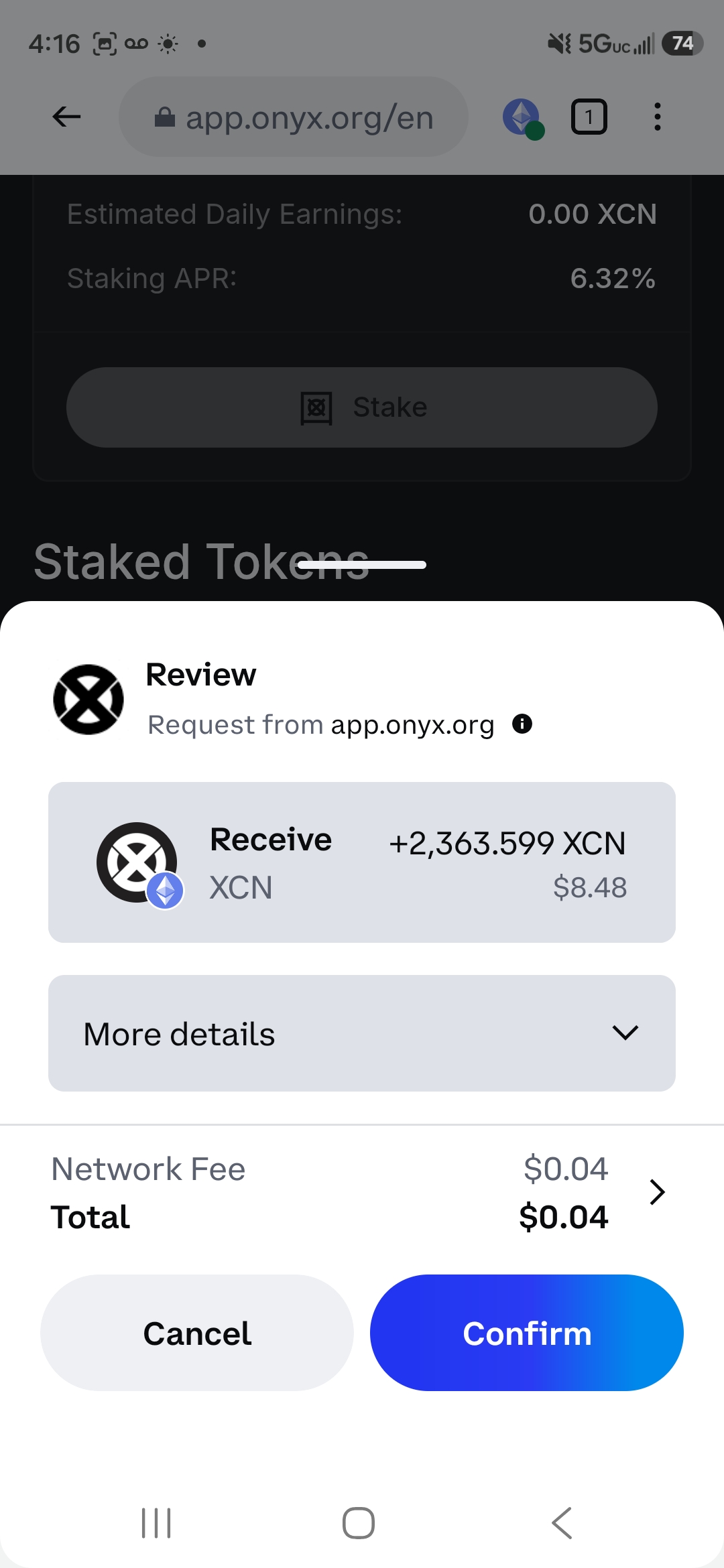
Step 2: Go to the Staking section. You’ll see your staked balance and the current Ethereum staking APR. During our July 2026 migration, it showed about 6.32%, far below Layer 1.
Step 3: Switch to the Withdraw tab and enter the amount to unstake, or tap Max for everything.
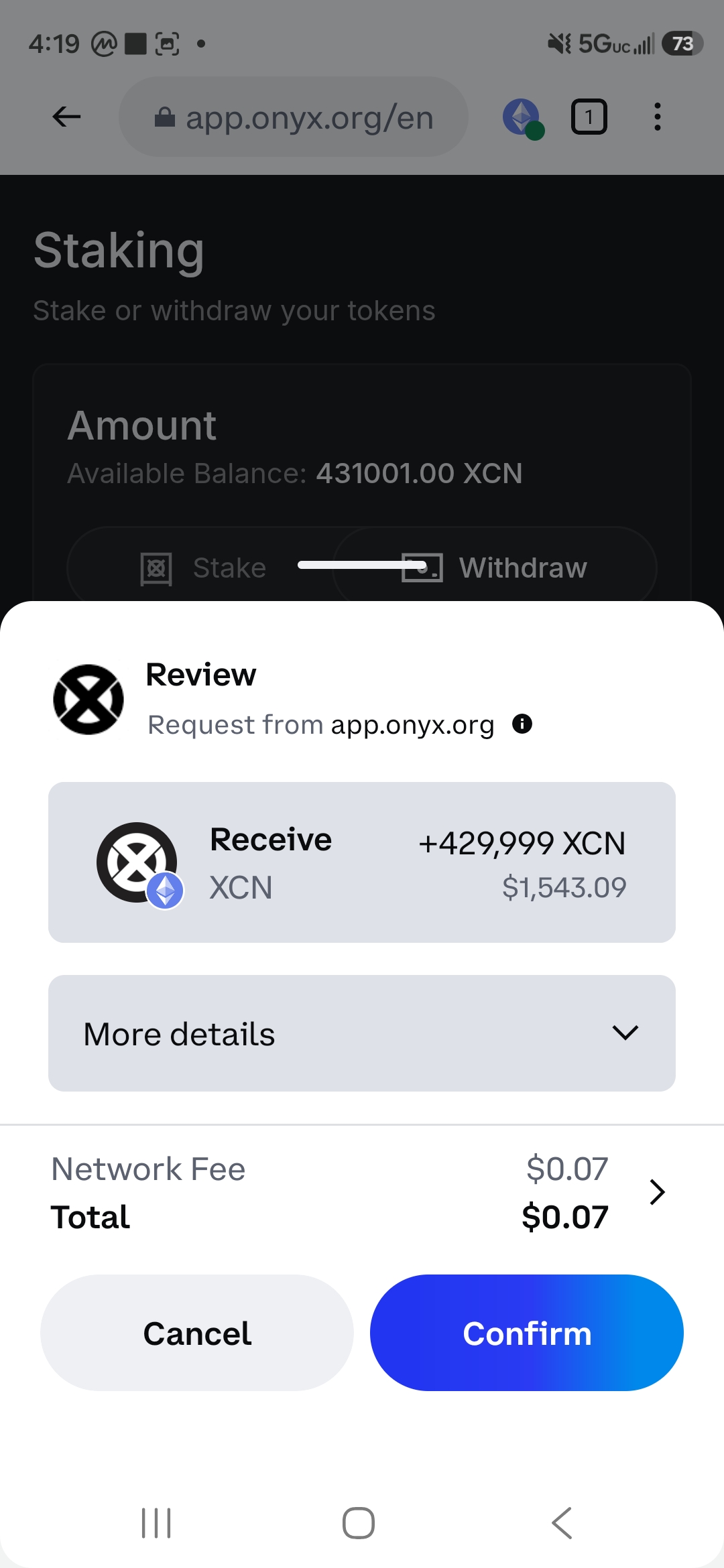
Step 4: Your wallet asks you to confirm. Check the details: the amount of XCN coming back and the network fee. Ours was $0.04 to $0.07 per transaction.
Updated October 10, 2026
If you hold XCN on Ethereum and want to stake it on Onyx Layer 1, this guide walks you through the exact process, from unstaking on Ethereum all the way to staking on Layer 1. Every step and screenshot comes from a real migration we did in July 2026.
The short version: unstake your XCN on Ethereum if it’s staked, send it to the Onyx Wallet, bridge it to Layer 1 with the free Onyx Bridge, and stake it there for stXCN. The bridge step itself took about 2-3 minutes, and our whole migration cost under $0.20 in gas. Layer 1 staking currently pays about 30% APR, but that rate isn’t guaranteed. Use only official links, and read the October update just below before moving a large amount.
For the full background on why Onyx is moving to Layer 1, and the December 31, 2026 deadline for the old Layer 3, read Onyx XCN Layer 1 Migration – What Holders Need to Know.
October 2026 update: On October 6-7, about 620 million XCN moved out of the Onyx DAO’s Ethereum treasury. Reports described it as a planned migration step, while security firm Blockaid flagged a possible exploit at the same time. As of October 10, Onyx hadn’t published an explanation we could find. The bridge and staking steps below are unchanged, but it’s reasonable to wait for official word from onyx.org or @Onyx on X before moving a large amount, and to start with a small test.
What You Need Before You Start
- XCN on Ethereum – either staked (you’ll unstake first) or sitting in a wallet
- Onyx Wallet – the official wallet for the Onyx ecosystem, for iOS and Android. Download it only through the links on onyx.org
- A small amount of ETH – for Ethereum gas fees. Our whole migration cost under $0.20 in gas
- MetaMask or another Ethereum wallet – if that’s where your XCN is now
Part 1 – Unstake Your XCN on Ethereum (If It’s Staked)
If your XCN is already sitting in a wallet, skip to Part 2.
If you’re staking on Ethereum through app.onyx.org, unstake first.
Step 1: Open app.onyx.org in your browser and connect your Ethereum wallet.
Step 2: Go to the Staking section. You’ll see your staked balance and the current Ethereum staking APR. During our July 2026 migration, it showed about 6.32%, far below Layer 1.
Step 3: Switch to the Withdraw tab and enter the amount to unstake, or tap Max for everything.
Step 4: Your wallet asks you to confirm. Check the details: the amount of XCN coming back and the network fee. Ours was $0.04 to $0.07 per transaction.
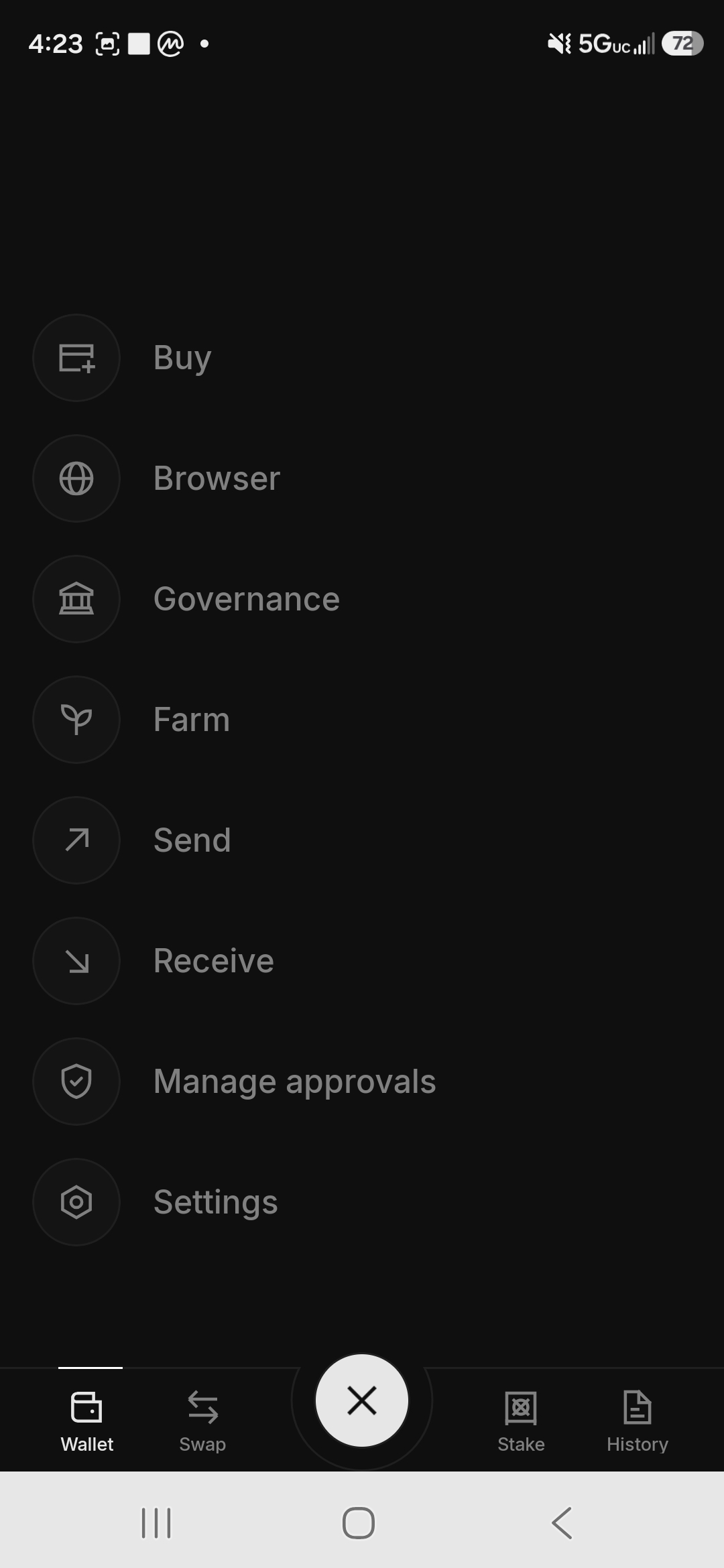
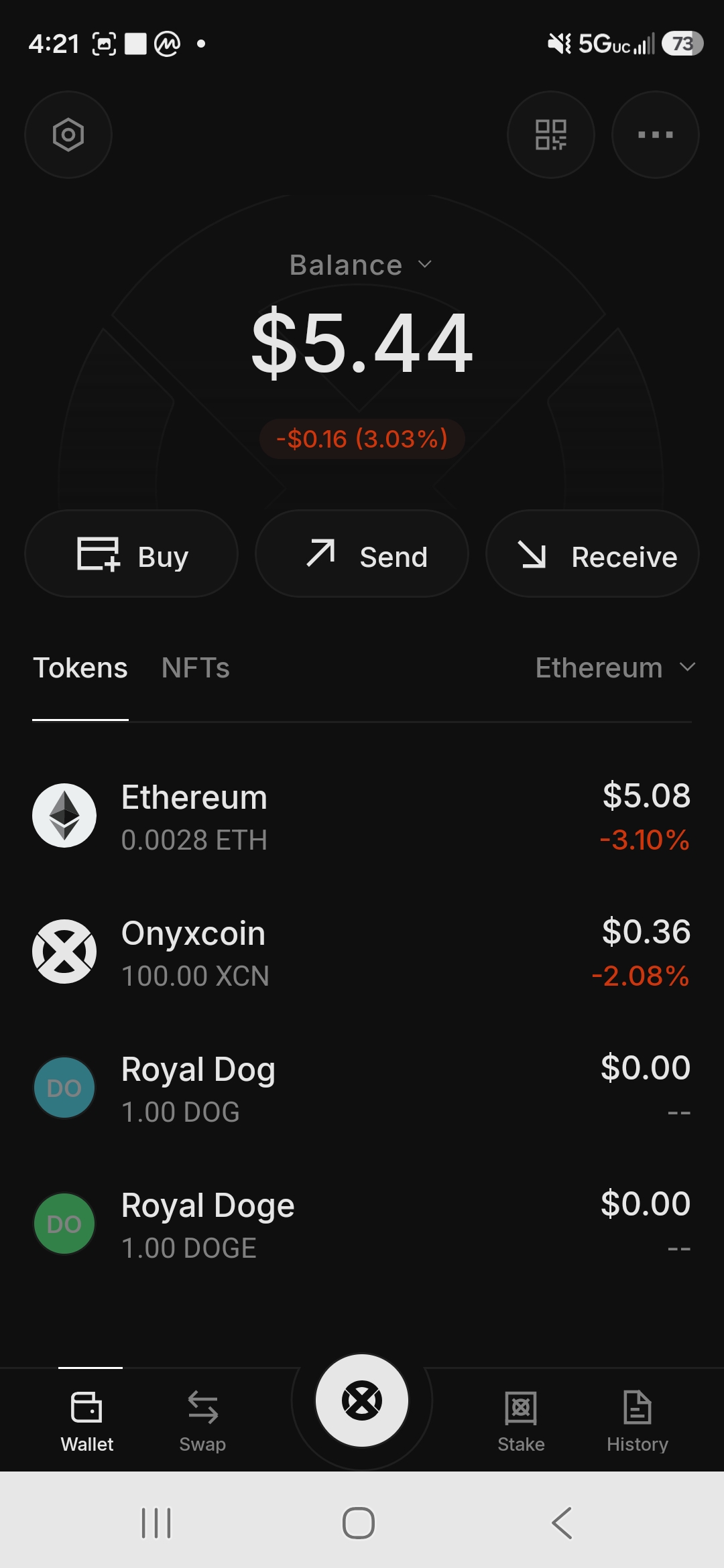
Step 4: Tap the Onyx logo in the middle to open the full menu: Buy, Browser, Governance, Farm, Send, Receive, Manage Approvals, and Settings.
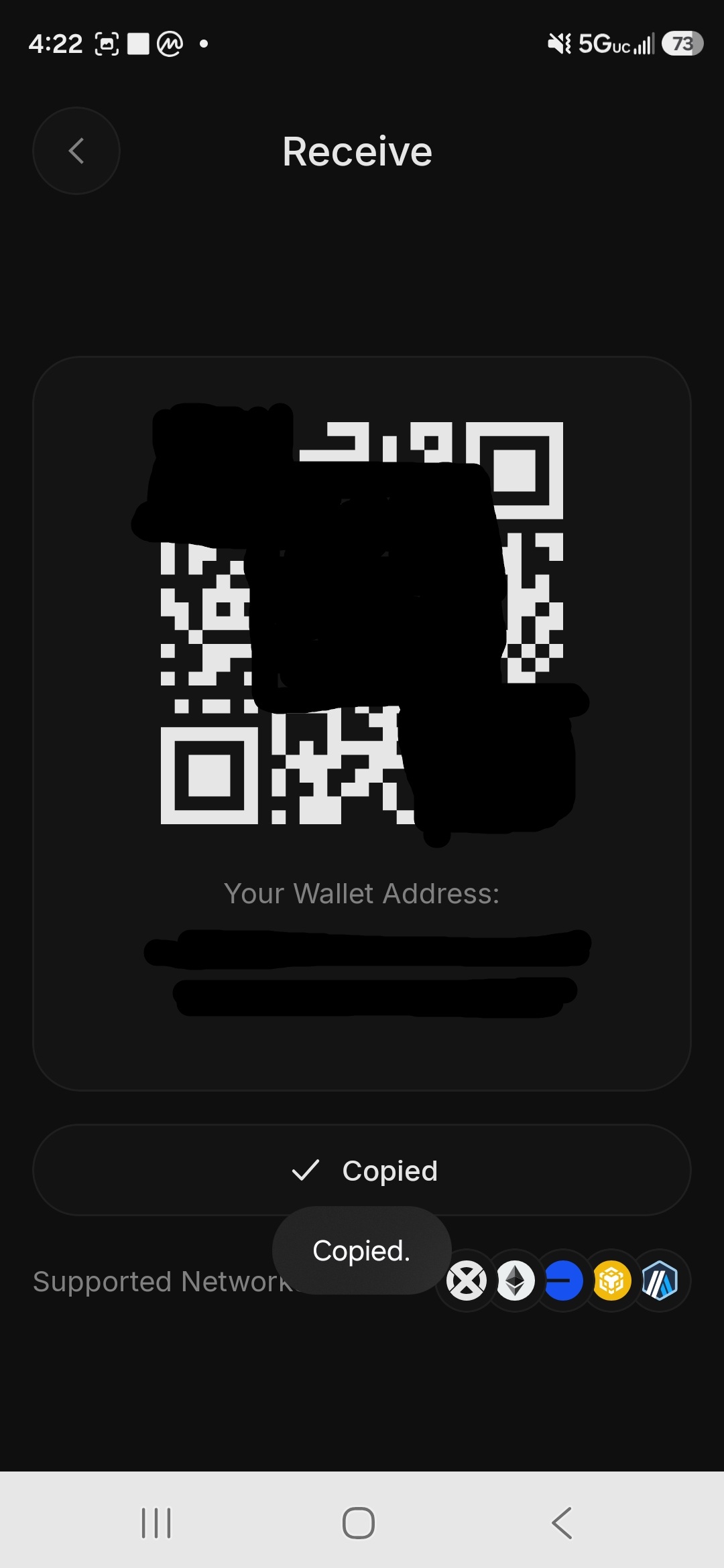
Step 5: Tap Receive and copy your Onyx Wallet address. You’ll send your XCN here from MetaMask in the next part.
Part 3 – Send XCN to Your Onyx Wallet
Before bridging to Layer 1, move your XCN into your Onyx Wallet on the Ethereum network.
Step 1: In MetaMask, or whichever wallet holds your XCN, start a Send.
Step 2: Paste your Onyx Wallet address as the destination. Make sure you’re sending on the Ethereum network, not Base or BNB Chain. Copy the address fresh from the Receive screen, never from your transaction history, and check the middle characters as well as the start and end. That habit protects you from address poisoning.
Step 3: Enter the amount. You’ll see a summary with the XCN amount, its dollar value, the network fee (ours was $0.01-$0.02), and the total.
Step 4: Confirm the transaction. XCN arrives in your Onyx Wallet within a minute or two.
Decision point: Before sending everything, decide whether to keep some XCN on Ethereum. We kept 1,000-2,000 XCN there, for two reasons. First, if you earned Onyx Points while staking on Ethereum, keeping that address active is a cheap hedge in case any future distribution looks at Ethereum activity. Points appear to be tracked by wallet, but nobody can guarantee the final rules. Second, it keeps a little flexibility on Ethereum without bridging back.
Part 4 – Bridge XCN From Ethereum to Onyx Layer 1
This is the core step. The bridge moves your XCN from Ethereum onto Onyx Layer 1, where you can stake it.
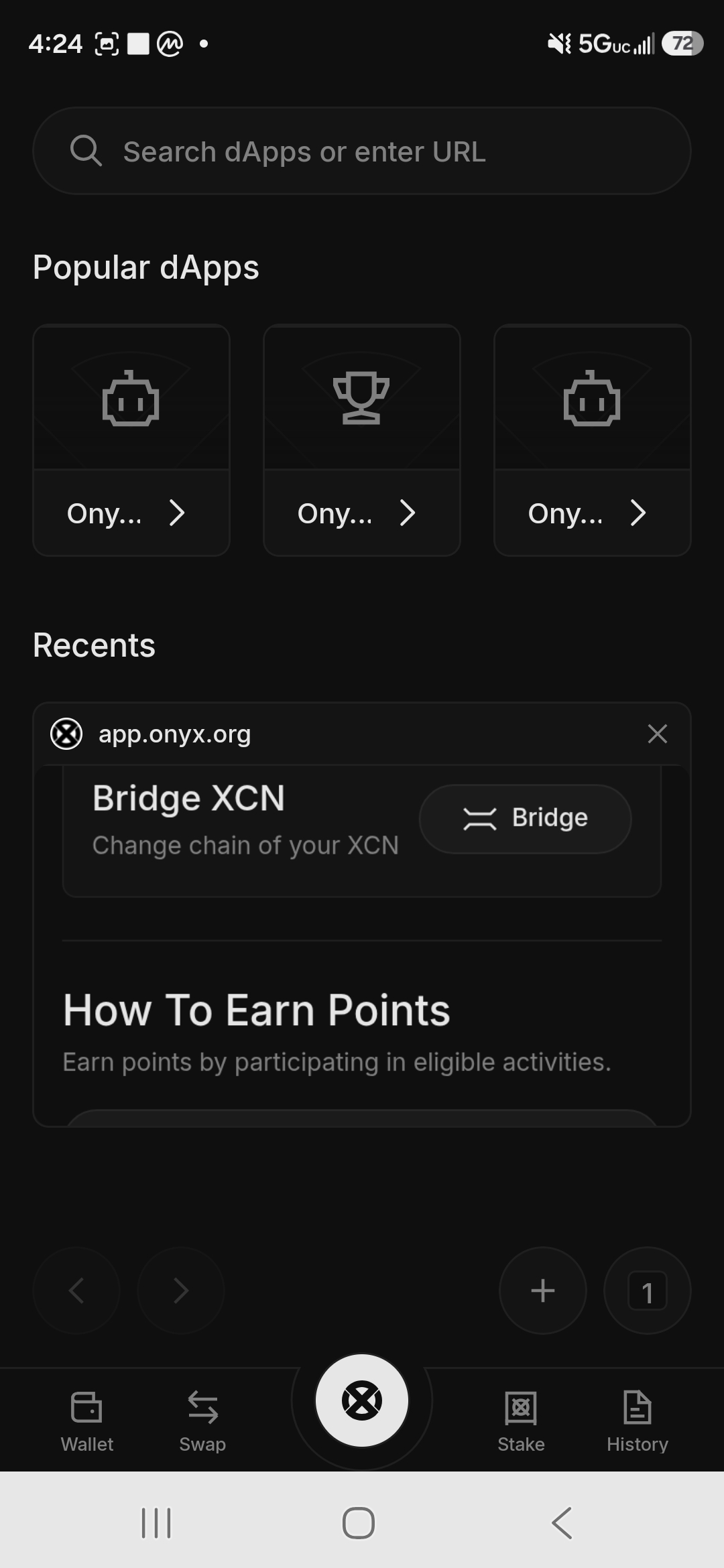
Step 1: In Onyx Wallet, tap the Onyx logo, then Browser. Under Popular dApps and Recents, tap the Bridge XCN shortcut, or go to app.onyx.org.
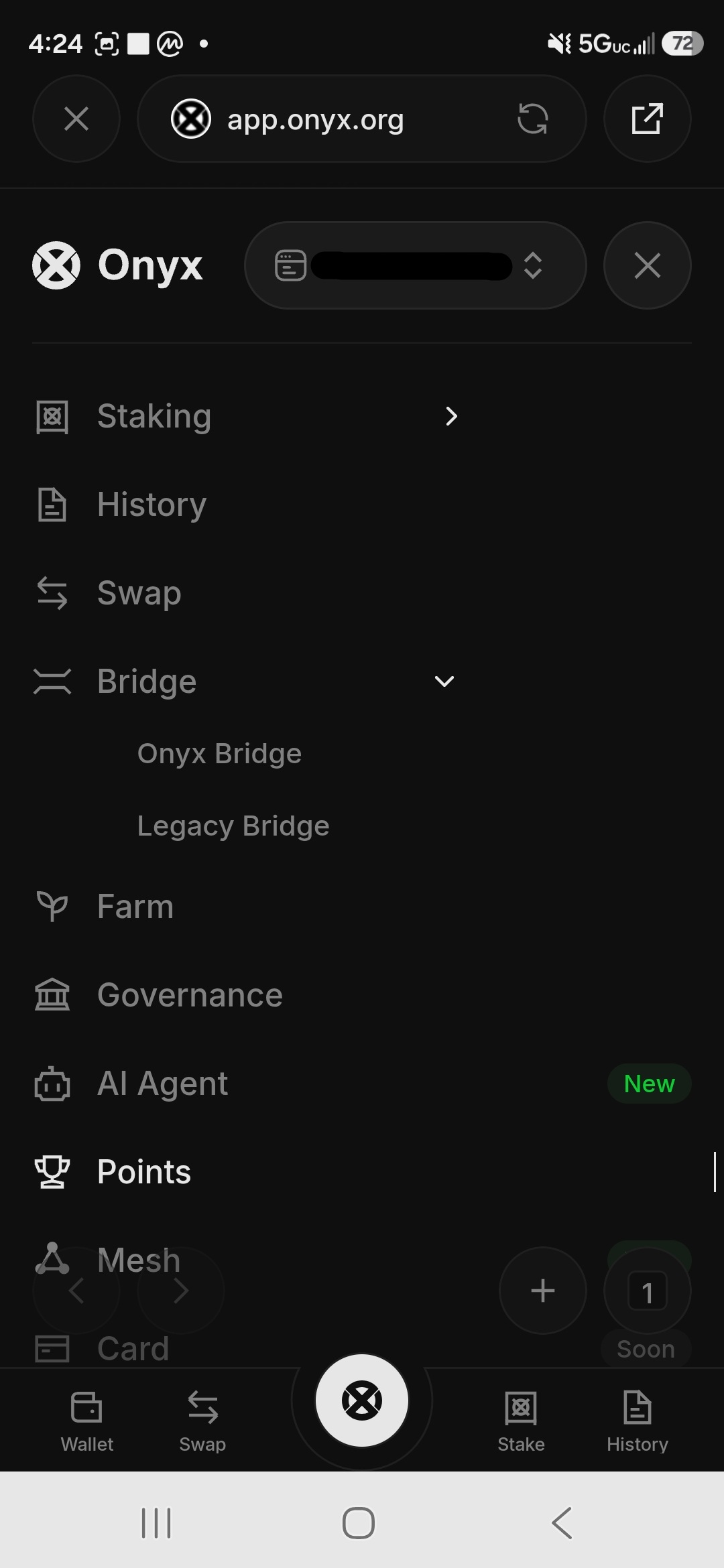
Step 2: In the app, open Bridge from the menu. You’ll see two options: Onyx Bridge and Legacy Bridge. For Ethereum to Layer 1, always use Onyx Bridge. The Legacy Bridge belongs to the old Layer 3, which shuts down on December 31, 2026.
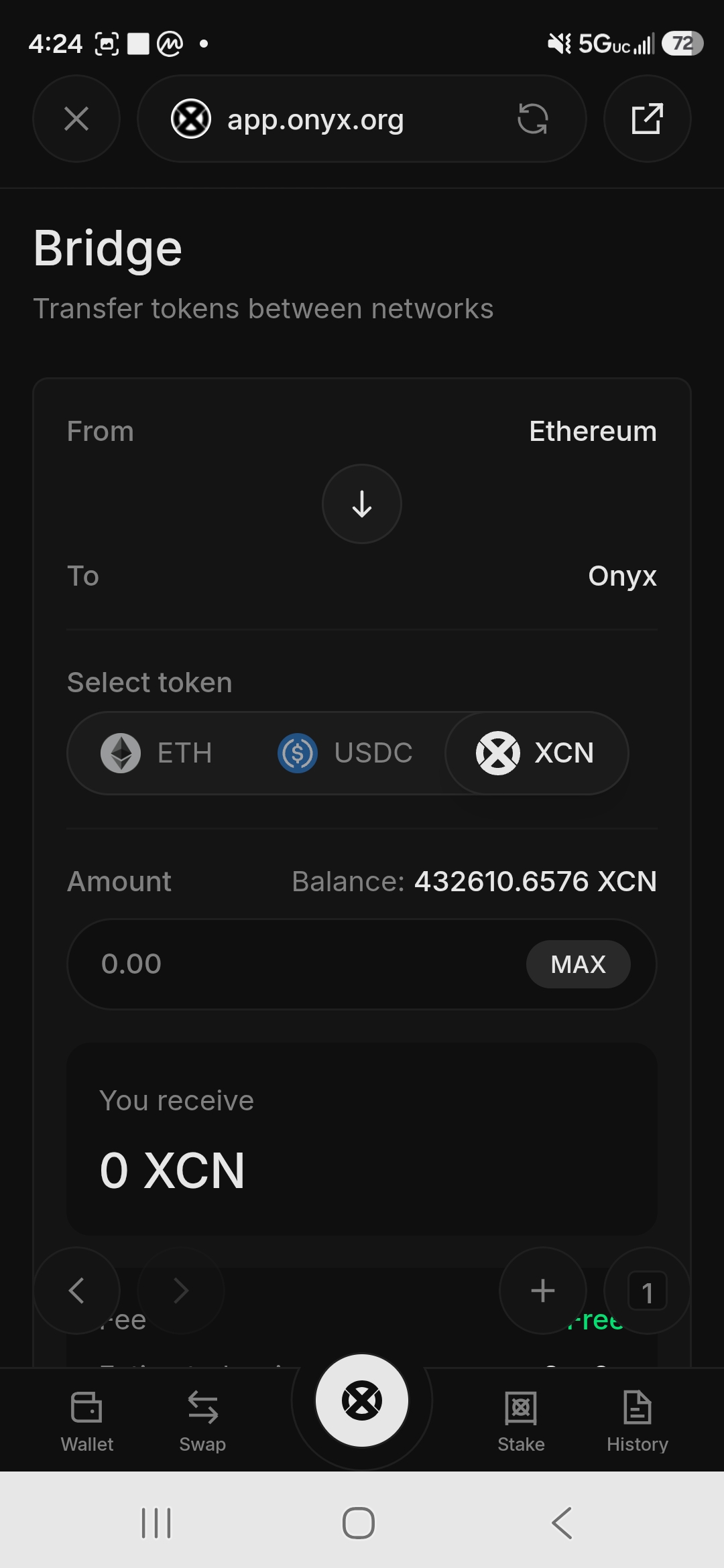
Step 3: The Bridge screen shows:
- From: Ethereum
- To: Onyx
- Token: choose XCN
- Your balance appears automatically
Step 4: Enter the amount to bridge, or tap MAX. You’ll see “You receive: [same amount] XCN” plus two key details: Fee: Free and Estimated arrival: ~2 minutes.
The bridge itself is free. You only pay the Ethereum gas for the transaction.
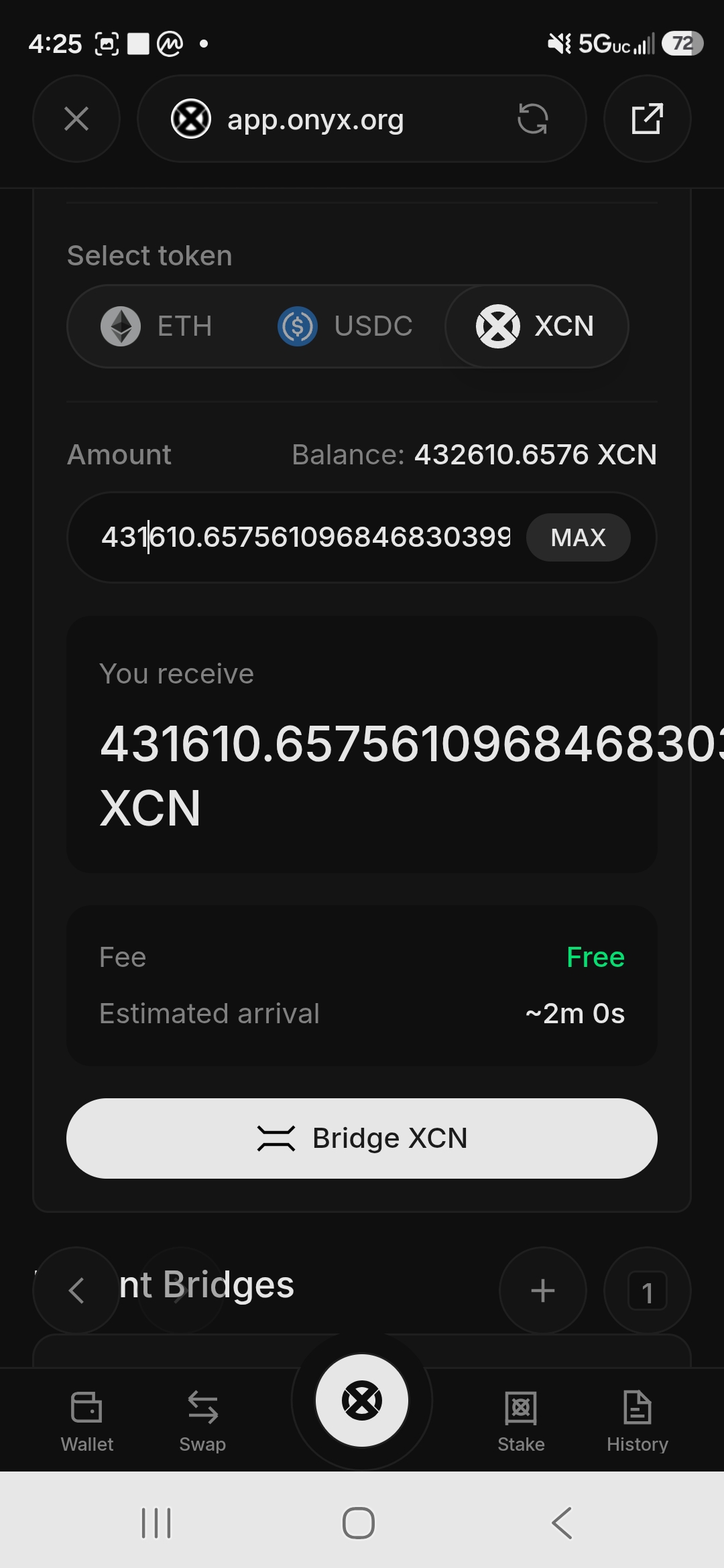
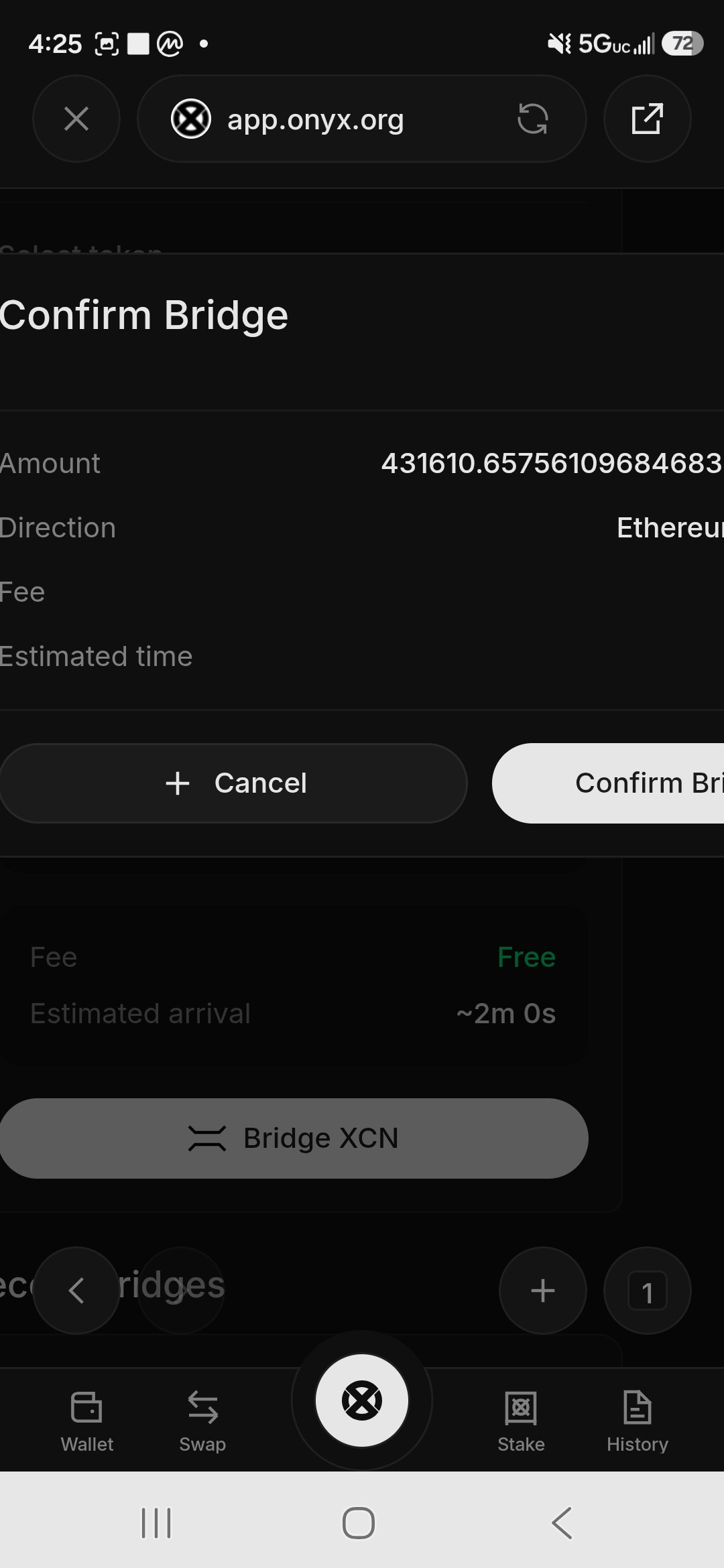
Step 5: Tap Bridge XCN. A Confirm Bridge screen shows the amount and direction and confirms the fee is free.
Before you confirm – approvals: on some wallets, the first time you bridge you’ll be asked to approve the bridge to spend your XCN before the deposit itself. That’s normal for bridges, but only approve it on app.onyx.org, and check that you’re approving the Onyx bridge. You can review and remove old approvals later under Manage Approvals in Onyx Wallet. Our guide to wallet drainer approvals explains why this matters.
Step 6: Your wallet shows a Confirm Transaction popup with:
- The destination contract address
- Value: 0x0 (no ETH is being sent, only XCN)
- Function: deposit(address, uint256, address)
- Network: Ethereum (1)
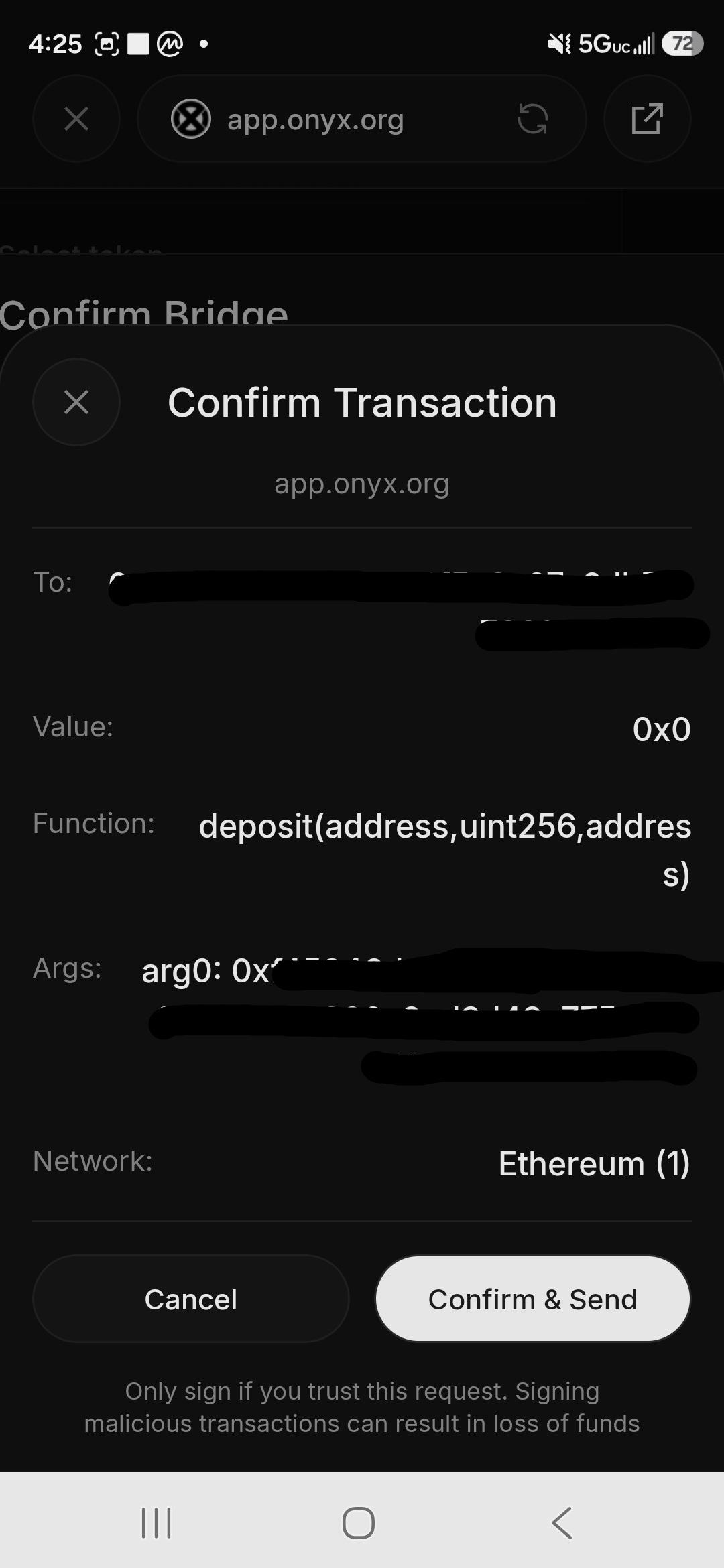
This is normal. The “deposit” function is how the bridge contract locks your XCN on Ethereum before the same amount is created on Onyx Layer 1. Tap Confirm & Send.
Step 7: The bridge progress screen shows five steps as they happen:
- ✅ Deposit sent on Ethereum
- ✅ Waiting for confirmations (6 needed, about 1-2 minutes)
- ✅ Bridge relayer processing
- ✅ Minting on Onyx
- ✅ Bridge complete
In our test, the whole thing took about 2-3 minutes from confirmation to completion.
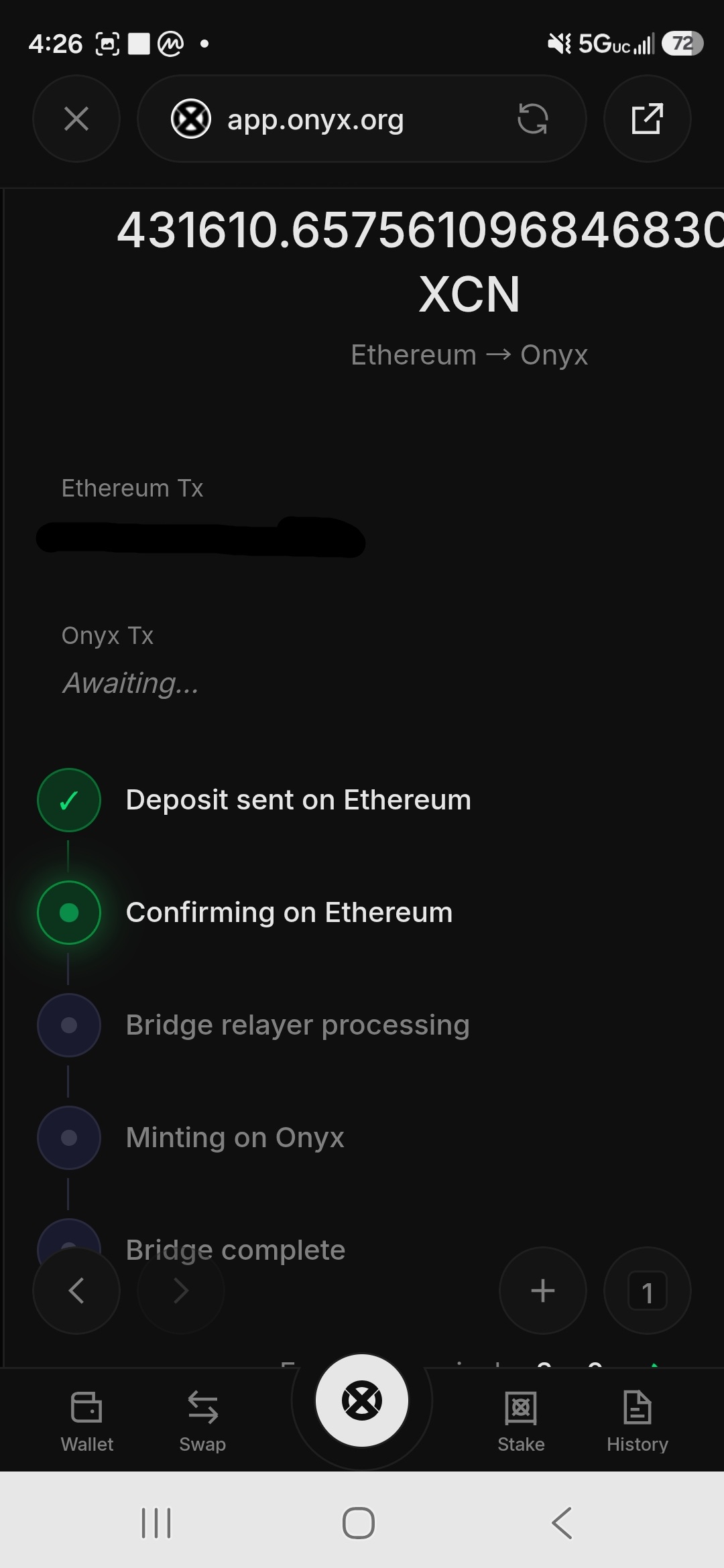
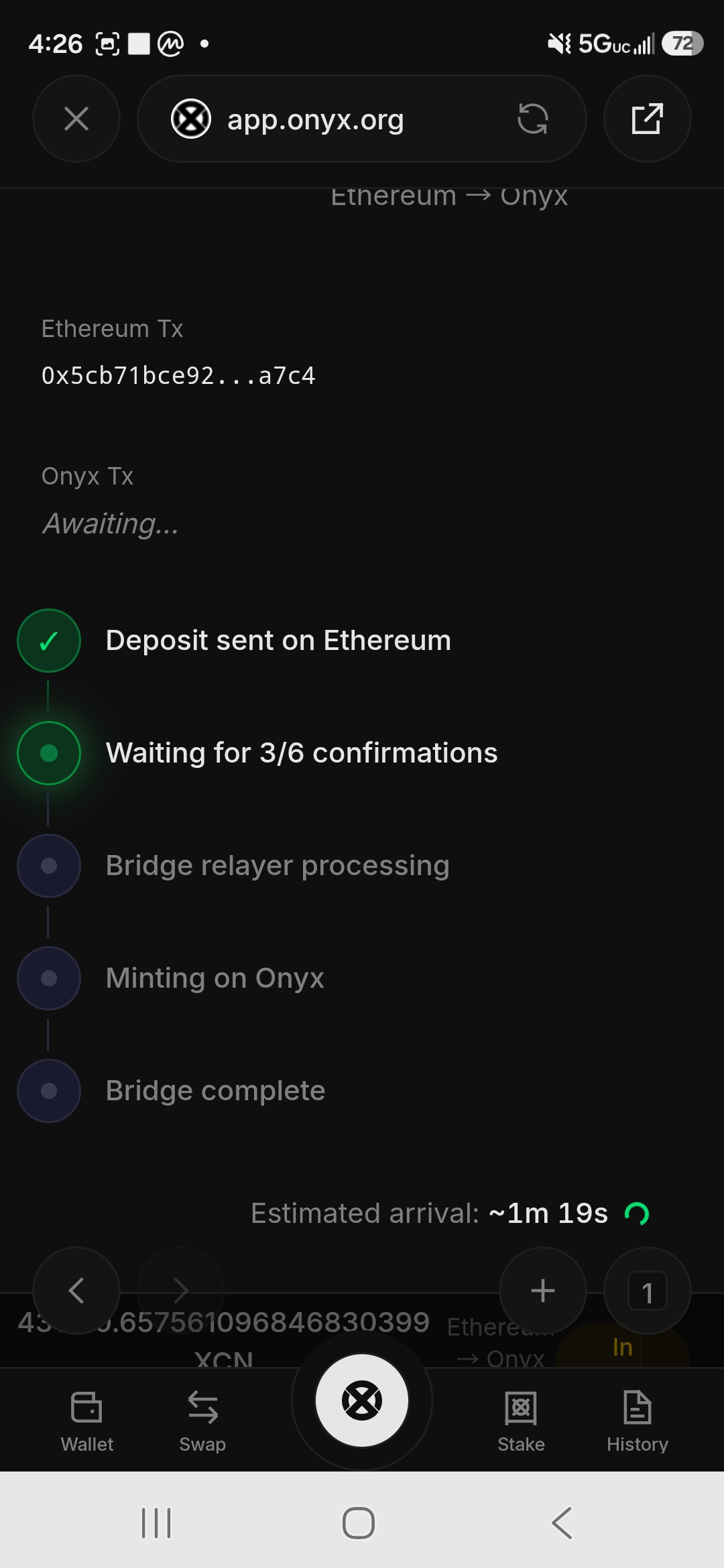
Step 8: When Bridge complete shows all green checkmarks, your XCN is on Onyx Layer 1.
Part 5 – Stake Your XCN on Onyx Layer 1
With XCN on Layer 1, you can stake it. The rate was set at about 30% APR by the OIP-68 governance vote in July 2026.
Step 1: In Onyx Wallet or app.onyx.org, go to Stake.
Step 2: You’ll see two tabs at the top: Ethereum and Onyx. Choose Onyx. Your available Layer 1 XCN balance appears.
Step 3: Enter the amount you want to stake – use 25%, 50%, or Max shortcuts, or type a specific amount. You can stake in multiple batches if you prefer.
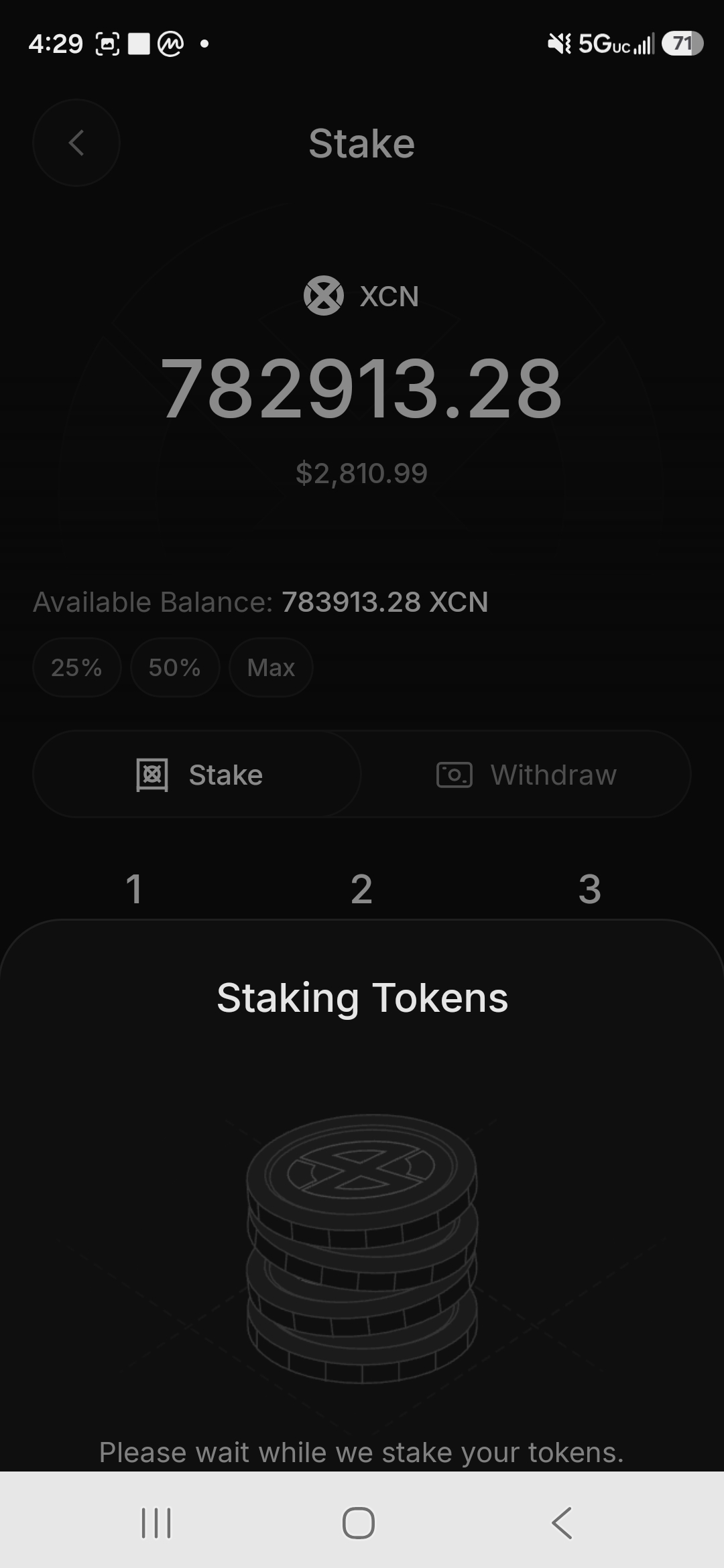
Step 4: Tap Stake. A loading screen says “Please wait while we stake your tokens.”
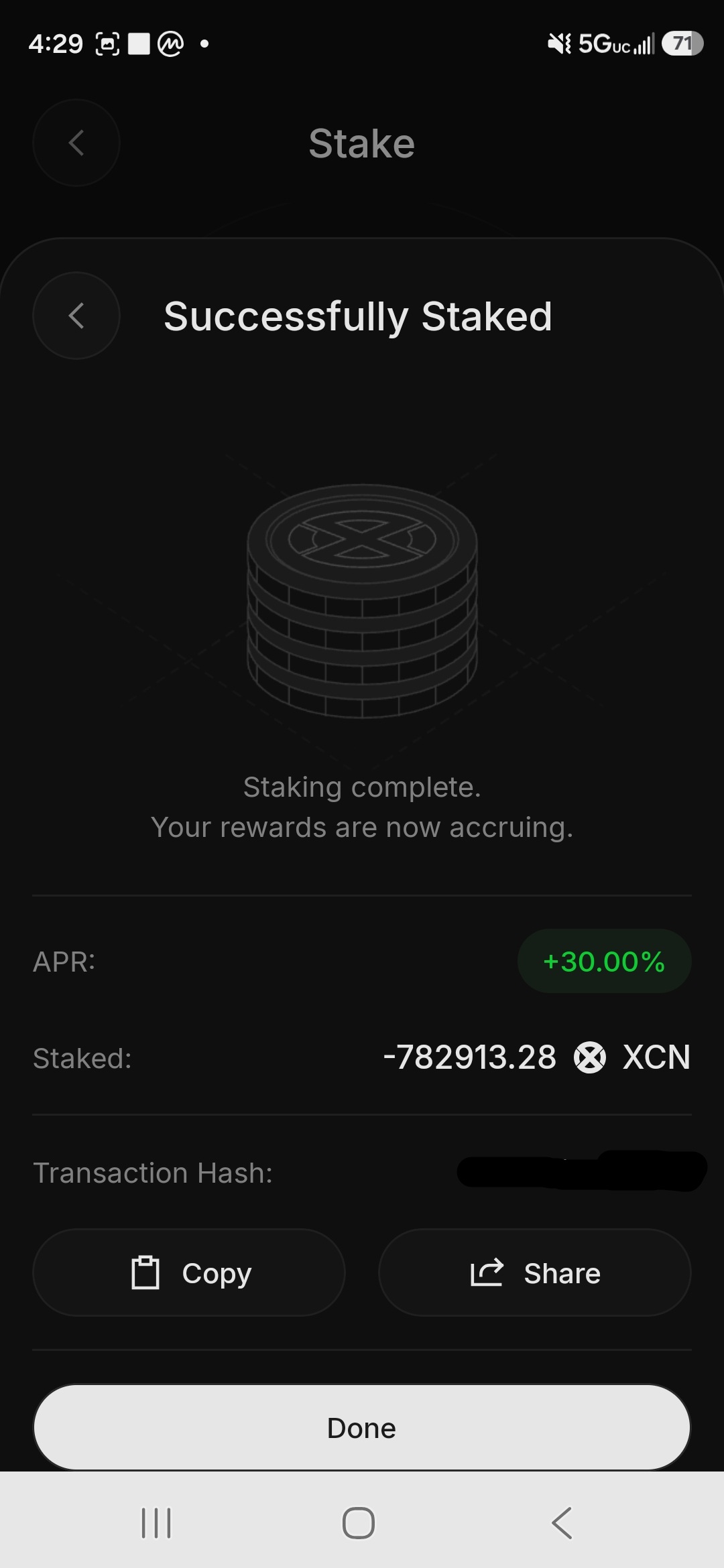
Step 5: The confirmation screen shows Successfully Staked with:
- APR: +30.00%
- The amount staked
- The transaction hash (crop it out if you share screenshots, since it links to your wallet)
Tap Done.
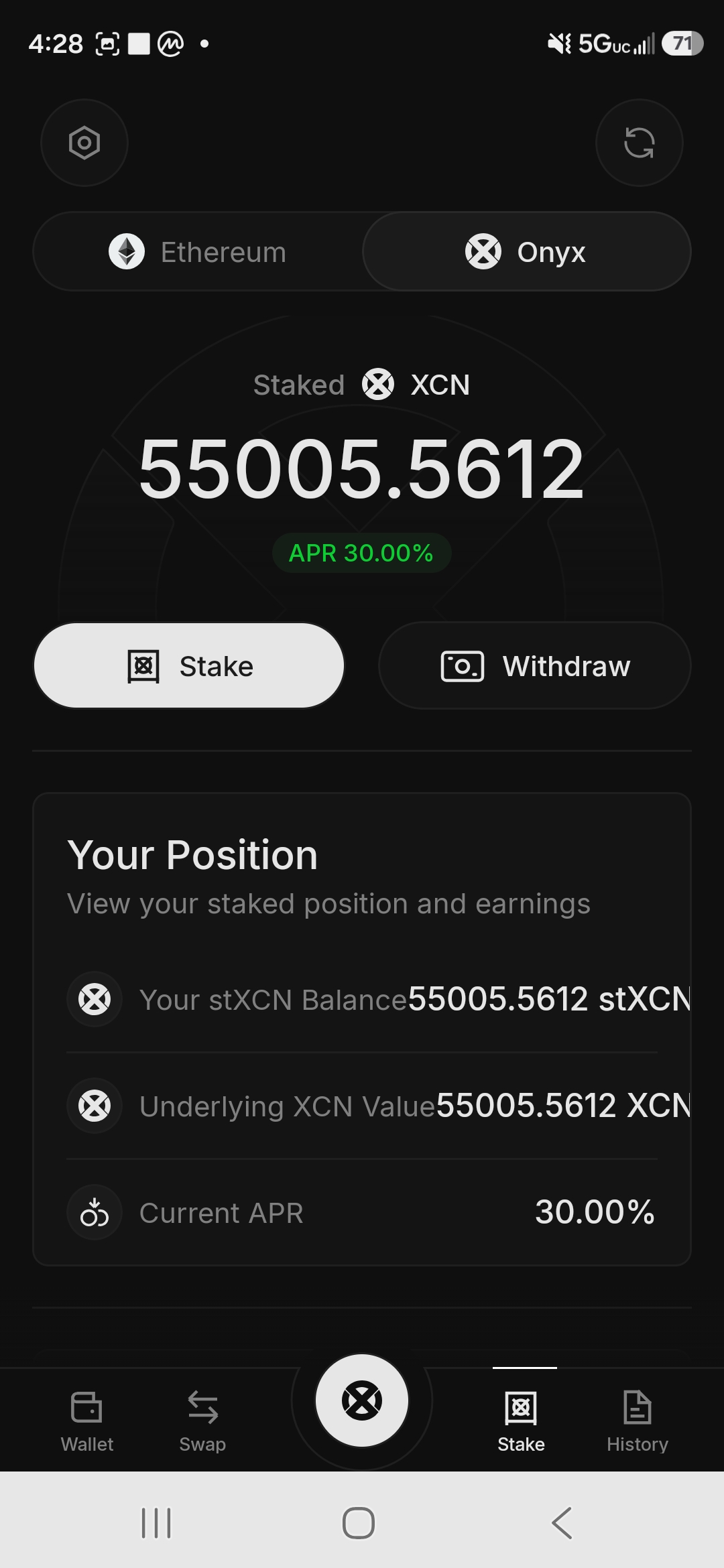
Step 6: Your Stake tab now shows your staked balance as stXCN (staked XCN), the current APR, and your position:
- Your stXCN balance
- Underlying XCN value (it matched our stXCN 1:1 when we staked)
- Current APR
Your rewards are now accruing automatically.
What You Now Have
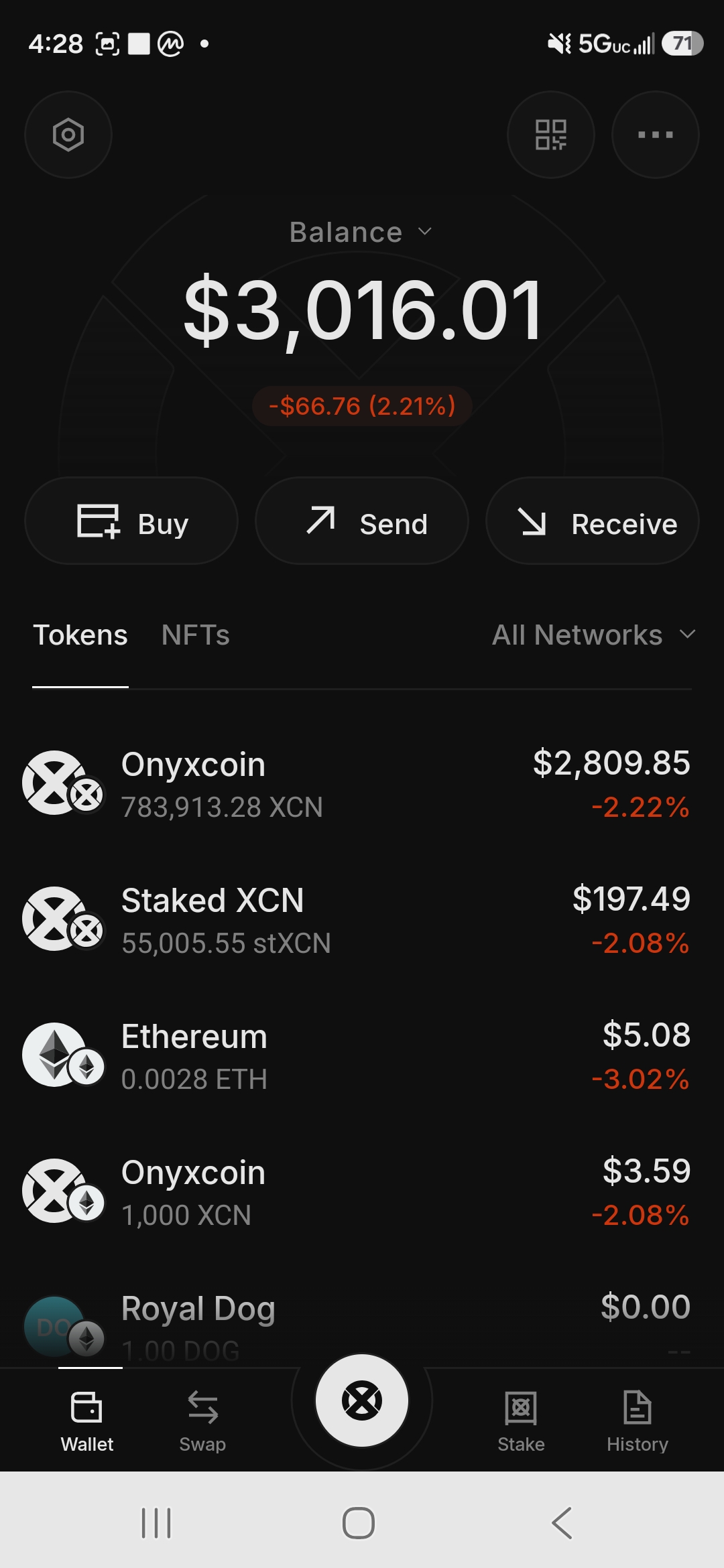
After all five parts, your position looks like this:
- stXCN on Onyx Layer 1 – earning staking rewards automatically
- A small XCN reserve on Ethereum – optional, keeping that address active
- A little ETH – for future gas if you need it
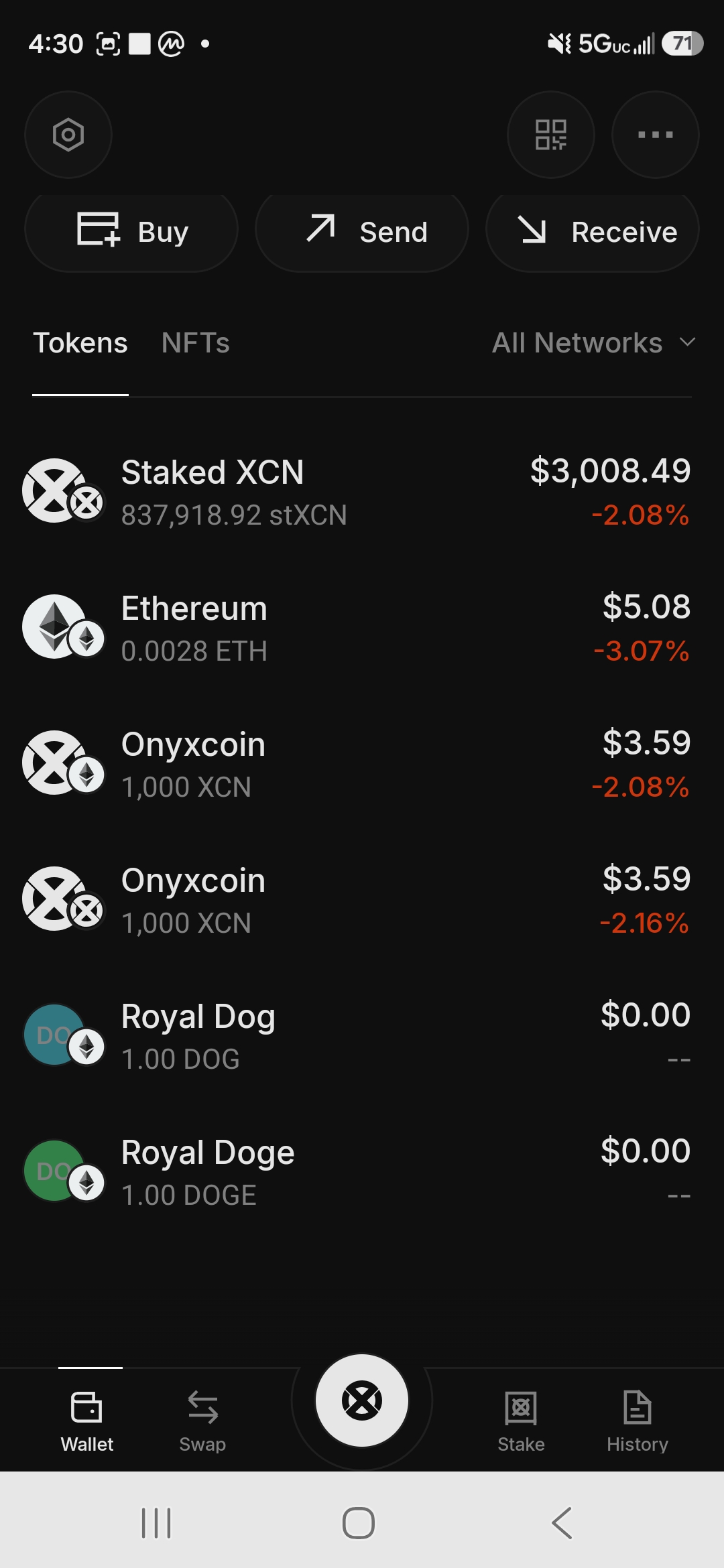
In Onyx Wallet, switch to the “All Networks” view to see everything in one place: your Layer 1 staked position, your Ethereum reserve, and any other tokens.
Key Things to Know
Bridging back is a separate step. You can bridge from Onyx Layer 1 back to Ethereum, but it’s its own process. Don’t bridge everything if you need XCN on Ethereum.
stXCN is liquid. Unlike some staking systems, stXCN is a token you can hold, move, or use in DeFi on Onyx Layer 1. Our guide to liquid staking explains how these tokens work.
The rate can change. OIP-68 set the current rate, and future governance votes can change it. It’s high now to encourage migration. Onyx’s own documentation says rates are variable, the protocol owner can adjust rates and fees or pause staking, and the APY isn’t guaranteed.
Points. Points can build up from activity on both Ethereum and Layer 1. Onyx hasn’t announced how they convert, so don’t base decisions on them alone.
Taxes. In the US, staking rewards are generally taxable income when you receive them. See our guide to crypto tax on free earnings.
The Layer 3 deadline is December 31, 2026. If any of your XCN is on the old Onyx Layer 3 (the XCN Ledger on Arbitrum Orbit), it needs to move before the end of the year. This guide covers Ethereum to Layer 1 only. For moving XCN off the Layer 3, follow Onyx’s official instructions at app.onyx.org.
Safety Checklist
- Use only app.onyx.org. Bookmark it, and never click links from DMs or social media
- Use Onyx Bridge for Ethereum to Layer 1, never the Legacy Bridge
- Download Onyx Wallet only through onyx.org
- Never share your recovery phrase with anyone or any site
- The bridge confirmation shows a “deposit” function. That’s correct and expected, not a red flag
- Test with a small amount first, then move the rest
- Ignore “urgent migration” or “compensation” messages, especially while the October treasury transfer is unexplained
New to moving crypto between networks? Our guide to bridging crypto covers the basics.
This guide documents a real migration completed in July 2026 and was last checked in October 2026. Screens, fees, and rates can change, so verify the current APR and bridge interface at app.onyx.org before you start. Not financial advice.
The Onyx Bridge itself is free. You only pay Ethereum gas. In our July 2026 migration, unstaking, sending, bridging, and staking cost under $0.20 in total gas fees.
The bridge estimates about 2 minutes. In our test, it took about 2-3 minutes from confirmation to completion, including waiting for 6 Ethereum confirmations, relayer processing, and minting on Onyx.
For moving XCN from Ethereum to Onyx Layer 1, always use Onyx Bridge. The Legacy Bridge belongs to the old Layer 3, which shuts down on December 31, 2026. If you need to move XCN off the Layer 3, follow Onyx’s official instructions at app.onyx.org.
Yes, when you’re on the official app.onyx.org. The deposit(address, uint256, address) function is how the bridge contract locks your XCN on Ethereum before the same amount is created on Onyx Layer 1. Only confirm transactions that you started yourself on the official site.
stXCN is the liquid staking token you receive when you stake XCN on Onyx Layer 1. It represents your staked position and earns rewards automatically, and you can hold, move, or use it in DeFi on Onyx Layer 1.
No. The roughly 30% rate was set by the OIP-68 governance vote in July 2026 to encourage migration, and future votes can change it. Onyx’s documentation says rates are variable, can be adjusted or paused by the protocol owner, and are not guaranteed. Check the current rate in the app before staking.
Sources
- Steps, fees, timings, and screenshots: our own migration, July 2026
- Onyx Blog – Deprecating the Onyx Layer 3 to focus on Layer 1 (Jul 2026)
- Onyx – XCN Token
- Onyx Docs – Staking and stXCN
- ChainCatcher – Onyx transfers 620 million XCN (Oct 2026)
- KuCoin News – Onyx treasury transfers 620M XCN amid security alert (Oct 2026)
📖 Related Guides Onyx XCN Layer 1 Migration · How to Bridge Crypto · What Is Liquid Staking · How to Stake Crypto