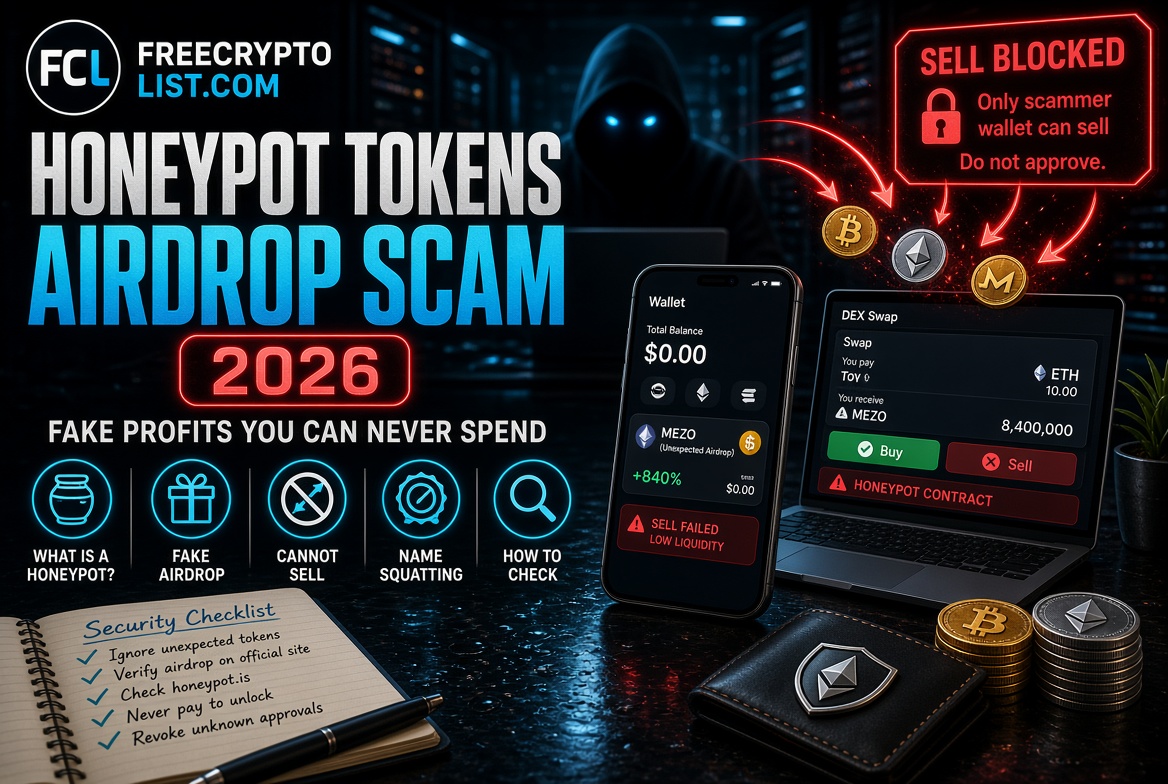
Honeypot Tokens – The Airdrop Scam That Makes You Watch Fake Profits You Can Never Spend
Updated October 4, 2026
Back in May 2026, I found tokens in my wallet that I’d never bought. RoyalDog on Ethereum, and something called Mezo – also on Ethereum. Neither one was anything I bought or signed up for. Both showed real dollar values sitting right there in my wallet.
I couldn’t sell either of them.
The error message said “low liquidity.” But that wasn’t really what was happening. What was actually happening is one of the most common and cleverly designed scams in crypto – the honeypot token.
The short answer: a honeypot token is a token whose contract lets people buy it but blocks almost everyone from selling. When one shows up in your wallet uninvited, the “value” is bait. The safe move is to leave it alone completely – don’t try to sell it, don’t visit any website connected to it, and don’t approve anything to “unlock” it. Here’s exactly how it works and what to do if you find one.
What Is a Honeypot Token?
A honeypot token is a malicious smart contract designed to let you buy – but never sell.
The contract code contains hidden restrictions that block selling for everyone except wallets the scammer controls. From the outside it looks like a normal token. It has a price. It may have a trading pool on a DEX like Uniswap, price history, and trading volume. But the moment you try to swap it for ETH or any other real asset, the transaction fails.
The “low liquidity” error you see is the surface-level symptom. The real problem is deeper – the token’s own code was written to make your tokens unsellable.
Honeypots vs. “Fake Value” Spam Tokens
Not every junk token in your wallet is a full honeypot. There are two common types, and the advice is the same for both:
- Honeypots – a real trading pool exists, the price can move, and buys work. Sells are blocked by the contract (through a blacklist, a hidden 100% sell tax, or transfer restrictions that only let whitelisted wallets sell).
- Fake value spam tokens – there’s little or no real market at all. The token is designed to display a convincing dollar value in your wallet, often with a website address baked into its name or description (“Visit xyz-claim.com to redeem”). Uniswap Labs warns that these links lead to sites that trick you into approving a malicious contract.
Either way, the token isn’t the prize. Your real crypto is.
How the Scam Works – Step by Step
Step 1 – Deploy the Contract
The scammer writes a token contract with hidden sell restrictions built in. Only whitelisted wallet addresses – usually just the scammer’s own – can sell. Everyone else’s sell transactions fail or return a vague error.
Step 2 – Create a Trading Pool That Looks Normal
The scammer pairs the token with ETH in a DEX liquidity pool, which gives it a price and makes it “buyable.” Nothing about the pool itself looks wrong. The trap is in the token’s code: when anyone other than the scammer tries to send tokens back into the pool to sell, the contract rejects it. (If liquidity pools are new to you, our liquidity pools explainer covers how they normally work.)
Step 3 – Airdrop It to Thousands of Wallets
The token gets dropped to huge numbers of wallet addresses, often pulled from on-chain activity. Anyone who has ever used DeFi, traded on a DEX, or held a popular token is a target. The cost to the scammer is tiny – deploying a token and airdropping it costs only gas, and lower fees in recent years have made mass airdrops even cheaper.
Step 4 – Let Greed Do the Work
This is where it gets clever. The scammer buys their own token to push the price up. Victims see tokens in their wallet climbing in value – sometimes dramatically. The pressure builds. “I have $300 sitting right there and the price is going up – I need to sell before it drops.” Some victims even buy more, which only feeds the scammer’s pool.
Step 5 – Trigger the Real Trap
Victims who try to sell and fail often go looking for a fix. This is where the second layer of the scam kicks in. A website linked in the token’s name, a “support” account on social media, or a page that appears in search results offers to “unlock” or “claim” your tokens. To do that, you’re asked to approve a contract or sign a message. That signature is the real attack – once signed, it can give a drainer permission to move your actual assets. Our wallet drainer approvals guide explains exactly what those permissions do.
The tokens you couldn’t sell were never the target. Your ETH and real crypto are.
The Mezo Fake – Impersonating Real Projects
One detail worth highlighting from my own experience – the “Mezo” token that appeared in my wallet.
Mezo is a real project: a Bitcoin finance network built by Thesis, the team behind tBTC, with real institutional backing. Its official MEZO token launched in April 2026 and trades on major exchanges like Kraken. The token airdropped to my wallet had nothing to do with it.
That timing isn’t a coincidence. Scammers love to copy the name of a project right around its token launch, when people are actively searching for it and expect to see it in their wallets. This tactic is called name-squatting. If you Google “Mezo crypto,” you find a real project with a real team and a real token – which lends false credibility to the fake one sitting in your wallet. We’ve seen the same pattern with fake “POLY” tokens appearing before Polymarket has launched anything, and with copycat tokens around every new chain launch (see how meme tokens front-run chain launches).
Always verify: if an unexpected token shows up using a name you recognize, go directly to the project’s official website (typed in yourself, not from a link) and check two things – whether they actually ran an airdrop, and what the official contract address is. A real project’s token has one official contract address. If the one in your wallet doesn’t match, it’s fake. Don’t interact with it until you’ve confirmed.
Why “Low Liquidity” Is the Wrong Error Message
The error your wallet shows – “low liquidity” or “insufficient liquidity” – is misleading. It implies the token might become sellable if liquidity improves. For a honeypot, it never will.
The distinction matters:
- Genuine low liquidity – a real token with a small pool. Price impact is high, but you can still sell, just at a worse rate.
- Honeypot – the contract itself blocks your sell. Adding more liquidity changes nothing, because the restriction is in the code, not the pool.
The only way to tell the difference is to check the contract itself – which brings us to the tools.
How to Check If a Token Is a Honeypot
Before interacting with any unexpected token, run its contract address through one of these free tools:
Honeypot.is – simulates a buy and a sell against the contract without spending real money, showing you directly whether sells are blocked and what the real buy and sell taxes are.
Token Sniffer – paste in the contract address for an automated scan that flags common honeypot and scam patterns.
GoPlus Security – scans for blacklist functions, sell restrictions, hidden mint functions, and other red flags.
RugCheck – the go-to checker for Solana tokens, where honeypot-style tricks work differently.
To use any of these, you need the token’s contract address. Find it by looking up your own wallet address on Etherscan (or Solscan for Solana) and clicking the token in your token list – don’t copy it from any website connected to the token.
One honest caveat: these tools catch the common patterns, not every trick. Scammers keep inventing new ways to hide sell restrictions. A clean result on a token you didn’t ask for still doesn’t make it worth touching.
What To Do If You Have a Honeypot in Your Wallet
Do nothing with the token itself. It costs you nothing to leave it sitting there. It will never be worth anything real, but it can’t hurt you as long as you don’t interact with it. Most wallets, including MetaMask and Phantom, let you hide unwanted tokens or mark them as spam so they stop cluttering your balance – that’s done inside your wallet and doesn’t touch the scam contract.
Do not:
- Try to sell it repeatedly, or buy more to “average down”
- Try to add liquidity to “fix” the problem
- Visit any website named in the token, its description, or associated social media
- Approve any contract or sign any message related to the token
- Send any ETH or other crypto to “unlock” your holdings
- Share your recovery phrase with anyone claiming to help you recover the tokens
Do:
- Check your existing approvals on Revoke.cash or Etherscan’s Token Approval Checker to make sure you haven’t already approved anything suspicious
- Revoke any approvals you don’t recognize
- Use Etherscan’s report option to flag the token contract for other users
- If you already signed something on a “claim” or “unlock” site, move your remaining assets to a fresh wallet immediately – our crypto security guide walks through the full recovery steps
The Bigger Picture – Why This Scam Works
Honeypot tokens are effective for one reason – they exploit something completely reasonable. Finding value in your wallet and wanting to access it is not greedy or naive. It’s a normal human reaction.
The scammers know this. The fake price appreciation is deliberate. The “low liquidity” error is deliberately vague. The “unlock” and “recovery” sites are deliberately designed to look helpful. Every step of the funnel is engineered to turn a confused person into someone who hands over wallet access trying to fix a problem that was never fixable.
The defence is simple, but it requires knowing what you’re looking at. Any token you didn’t buy, didn’t sign up for, and can’t sell – leave it alone. If you want to know what it is, check it with Honeypot.is or Token Sniffer, but never interact with it to find out.
Real airdrops work differently: they’re announced publicly by the project, and you claim them on the project’s own website. We track legitimate ones on our Active Airdrops page, and explain how real distributions arrive in how to receive crypto from faucets and airdrops.
Quick Reference – Honeypot Red Flags
- Token appeared in your wallet without any action on your part
- Price is going up but you can’t sell
- Error says “low liquidity” or “insufficient liquidity” on sells only
- Token uses the name of a real project, but its contract address doesn’t match the one on the official site
- A website address appears in the token’s name or description
- Any website or message offering to “unlock” your tokens or “fix” the liquidity
- Contract is unverified on Etherscan – no source code visible
Tools Mentioned in This Article
- Honeypot.is – buy and sell simulator
- Token Sniffer – automated token scan
- GoPlus Security – contract risk scanner
- RugCheck – Solana token checker
- Revoke.cash – review and revoke approvals
- Etherscan – look up contracts and your token list
For a deeper look at evaluating any token before you buy it, see our guides on spotting a rug pull and crypto due diligence.
A honeypot token is a crypto token whose smart contract lets people buy it but blocks almost everyone except the scammer from selling. It can show a price and even rising value in your wallet, but any attempt to sell it fails, often with a vague “low liquidity” error.
Scammers airdrop junk tokens to huge numbers of wallet addresses because it costs them very little. The goal is to make you curious enough to try selling or “claiming” it, which leads you to a website that asks you to approve a contract or sign a message that can drain your real crypto. Anyone can send tokens to your address without your permission.
No. Simply holding it can’t hurt you. The risk comes from interacting with it, such as trying to sell it, visiting a website named in it, or approving anything to unlock it. Leave it alone, and use your wallet’s hide or spam feature if you want it out of sight.
Copy the token’s contract address from Etherscan or Solscan, never from a website connected to the token, and run it through Honeypot.is, which simulates a buy and sell, or Token Sniffer and GoPlus Security, which scan for sell restrictions. For Solana tokens, use RugCheck. These tools catch common patterns but not every trick, so an unexpected token still isn’t worth touching.
No. The sell restriction is written into the token’s code, so more liquidity, time, or “unlock” services won’t change anything. Any website or person offering to make it sellable for a fee or an approval is running the second half of the scam.
Go to the project’s official website by typing the address yourself and check whether it actually ran an airdrop and what its official contract address is. If the contract address of the token in your wallet doesn’t match, it’s a fake using the real project’s name. Scammers often copy a project’s name right around its token launch.
📖 In This Section Wallet Drainer Approvals · Real Scam DM Dissected · Fake Flare Airdrop · Complete Security Guide
Sources: