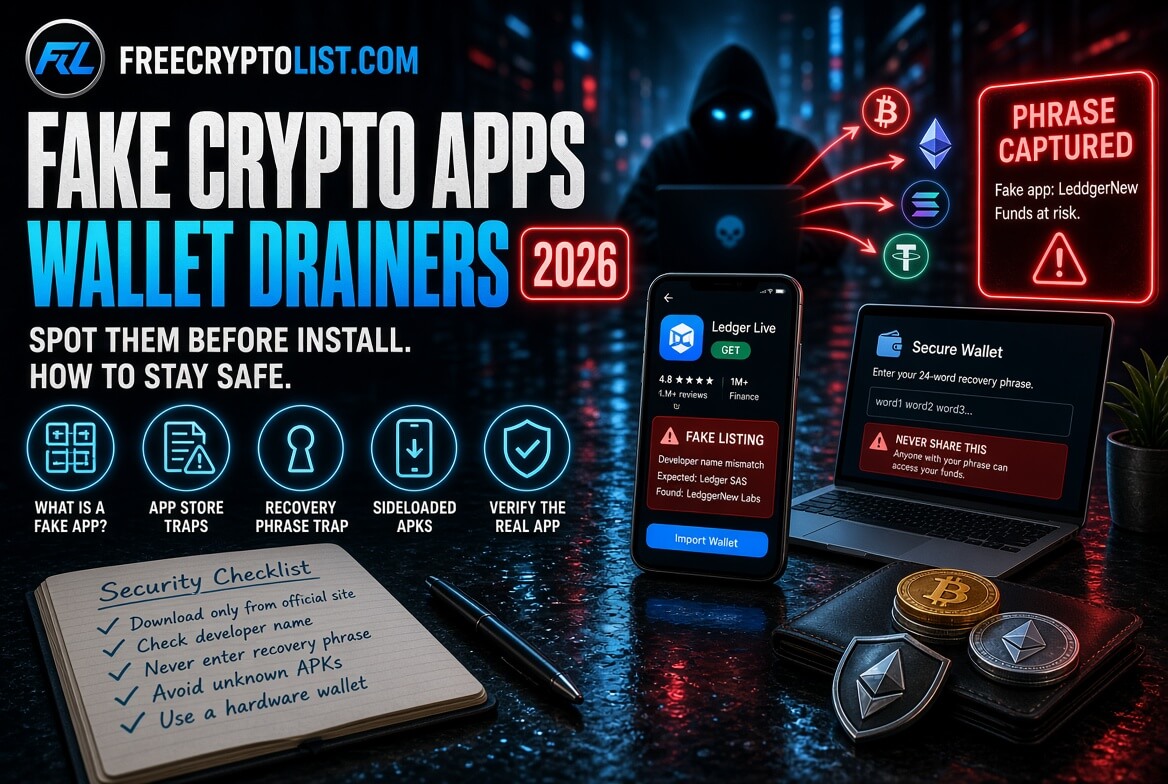
Fake Crypto Apps – How Malicious Wallets on the App Store and Beyond Are Draining Accounts in 2026
Updated October 4, 2026
You downloaded the app from Apple’s official App Store. It looked exactly right – correct logo, correct name, correct screenshots. You entered your recovery phrase to restore your wallet.
Your crypto was gone within minutes.
This is not a hypothetical. Between April 7 and April 13, 2026, a fake Ledger Live app that had passed Apple’s review and appeared in the official Mac App Store drained about $9.5 million from more than 50 victims. It simply asked users to enter their 24-word recovery phrase – and three of them lost seven figures each. Blockchain investigator ZachXBT exposed the scheme on April 14, and Apple removed the app. (Ledger’s real app has since been renamed Ledger Wallet, which is worth knowing so a “Ledger Live” listing doesn’t automatically look official.)
The short version: download wallet apps only through the link on the project’s official website, check the developer name before installing, never install a profile an app asks you to install, and never type your recovery phrase into any app unless you’re deliberately restoring a wallet you’ve verified. If it can happen on the App Store, it can happen anywhere. Here is exactly how these attacks work and what to check before installing any crypto app.
The Official Store Problem
Both Apple and Google review apps before listing them. Neither process is foolproof.
In April 2026, Kaspersky researchers published details of a campaign they called FakeWallet: more than 26 phishing apps in Apple’s App Store impersonating popular crypto wallets, including MetaMask, Coinbase, Ledger, Trust Wallet, TokenPocket, imToken, and Bitpie. The campaign had been running since at least fall 2025 – months before anyone caught it.
The way they got past review is worth understanding. The apps didn’t look like wallets at all during review. They posed as simple tools – a game, a calculator, a task planner. Once installed, they showed banners claiming the official wallet was “unavailable in the App Store” and sent users to a fake App Store page in the browser. That page installed a trojanized version of the wallet using an enterprise provisioning profile – a feature meant for companies to install internal apps on employees’ phones. The fake wallets then captured recovery phrases.
The apps used names with deliberate typos – one was called “LeddgerNew” – so they would show up in searches for the real thing without looking obviously wrong at a glance.
The campaign specifically targeted the China App Store, where official versions of these wallets aren’t available. That gap is the lesson: when a real app is hard to get in your region, fake versions rush in to fill the demand.
How the Attack Works
Fake crypto wallet apps use two main attack methods:
Method 1 – Recovery Phrase Harvesting
The app presents a wallet setup or restore screen that looks identical to the legitimate app. When you enter your 12 or 24-word recovery phrase to “restore” your wallet, those words are sent straight to the attacker. The attacker then uses your recovery phrase to access your real wallet – on any device, on any chain – and transfers everything out.
This is the most common and most devastating method, and it’s exactly how the fake Ledger Live app worked. Your recovery phrase is the master key to everything in your wallet. Any app that asks for it is either the legitimate wallet you are deliberately importing into, or a thief.
Method 2 – Malicious Profile Installation
Some fake apps trick you into installing a profile on your iPhone – an enterprise provisioning profile or a configuration profile. These exist for legitimate reasons: companies use them to install internal apps and manage employee devices. When a malicious app convinces you to install one, it can install apps that never went through App Store review at all, and in the FakeWallet campaign, those apps were built to steal recovery phrases.
Never install a profile because an app or website told you to. As Kaspersky put it: don’t install one unless your employer asked you to. You can check for profiles under Settings → General → VPN & Device Management.
The Bigger Threat – Sideloaded Apps
Official app stores at least attempt to vet what they list. Malicious apps that appear there represent failures of a process that catches most threats.
Sideloaded apps – apps installed from outside an official store – often have no vetting at all. On Android, anyone can create an APK file (Android’s app format) and distribute it through a website, Telegram channel, Discord server, or direct download link.
The typical delivery methods for malicious sideloaded apps:
Telegram and Discord links – a message in a crypto community announces a “beta version” of a wallet, an “exclusive trading tool,” or a “DeFi dashboard” not yet available in official stores. The link downloads an APK directly. Our Discord and Telegram social engineering guide covers how these channels get compromised.
Fake project websites – a site built to look like the official MetaMask or Ledger website offers a direct download instead of linking to the official store. The URL is slightly off – something like “metamask-app.io” instead of metamask.io.
Search engine ads – attackers buy ads for searches like “download MetaMask Android” or “Ledger app download.” The ad leads to a convincing fake site with a malicious download.
“Cracked” or “modified” wallet apps – forums and Telegram channels offer modified versions of legitimate wallets claiming extra features, no fees, or higher earnings. These are always malicious.
Android blocks installs from unknown sources by default, but turning that protection off takes just a couple of taps, and scammers walk victims through it. Google is tightening this: starting September 30, 2026, apps on certified Android devices in Brazil, Indonesia, Singapore, and Thailand must come from verified developers to install normally, with a worldwide rollout planned for 2027. Unverified apps will still be installable, just with extra steps – so the habit of refusing sideloaded crypto apps still matters.
iOS makes sideloading much harder, but not impossible – enterprise profiles, as FakeWallet showed, and alternative app marketplaces in the EU all open doors. If you’re in a region where a legitimate crypto app isn’t available through official channels, the risk of meeting a fake version is significantly higher. Download only through the project’s own website and verify the link independently.
How to Verify You Have the Real App
Start from the official website, not the store search bar. Never search for a crypto app in an app store and tap the first result. Go to the official project website – metamask.io, ledger.com, coinbase.com – by typing it yourself or using a bookmark, and follow their download link. It takes you straight to the verified listing.
Check the developer name, not just the app name. Every app in the App Store and Google Play shows who published it. Compare that name with the publisher linked from the official website. Fake apps often use developer names that are close but not quite right.
Check downloads and review history. Legitimate wallets used by millions of people have huge download counts and years of reviews. A “MetaMask” with a few hundred downloads and reviews only from the last two weeks is not MetaMask. Be very cautious of any listing that appeared recently, however polished it looks.
Be suspicious of an old name. Wallet apps get renamed – Ledger Live became Ledger Wallet in 2026. Scammers often keep using the name people remember. If a listing uses a name the official site no longer uses, find out why before installing.
Never enter your recovery phrase into a newly downloaded app without checking all of the above. If you’re restoring an existing wallet, you’ll need to enter it – but only after you’ve verified the app came from the official link. A recovery phrase entered into a fake app is compromised instantly, and there’s no undoing it.
On Android, leave Google Play Protect on and never enable “install unknown apps” for your browser, Telegram, or a file manager to install a crypto app.
Red Flags – Never Install a Crypto App From These Sources
- Direct APK download links in Telegram or Discord
- Any website that is not the official project domain
- Links sent via DM from anyone – even accounts you follow
- “Beta versions” or “exclusive tools” not available in official stores
- Modified or “cracked” versions claiming extra features
- Any source that requires you to enable “install unknown apps” on Android
- Any app or page that asks you to install a profile on your iPhone
- Any listing that claims the “official app is unavailable” and offers another way to get it
If You Have Already Installed a Suspicious App
If you have not entered your recovery phrase: Delete the app immediately. On iPhone, check Settings → General → VPN & Device Management and remove any profile you didn’t knowingly install. Run a security scan if available, and watch your wallet for unexpected activity.
If you entered your recovery phrase: Act immediately – every second matters.
- On a completely separate, clean device, create a brand-new wallet with a new recovery phrase
- Transfer everything from the compromised wallet to the new one as fast as possible – the attacker may not have acted yet
- Remember that one recovery phrase can control many accounts across many chains – move all of them
- Never use the compromised wallet again
- If you lost funds and you’re in the US, report it at ic3.gov, and ignore anyone offering to “recover” your funds for a fee
There is no way to “change” a recovery phrase. A compromised phrase means a permanently compromised wallet. The only fix is a fresh wallet with a new phrase created on a clean device. Our complete crypto security guide covers the full recovery checklist.
The Hardware Wallet Difference
Hardware wallets like Ledger, Trezor, and Tangem keep your private keys on a separate device. Malware on your phone or computer can’t pull keys off the device, and every transaction needs a physical confirmation.
But the fake Ledger Live app is the perfect example of the one thing a hardware wallet can’t protect you from: typing your recovery phrase into something. The app was built for Ledger owners – people who had already done the right thing by buying a hardware wallet. It simply asked for their 24 words, and they typed them in. As Ledger’s own CTO said after the theft: if anyone, or any app, is asking for your 24 words, assume something is wrong. Your Ledger, Trezor, or Tangem companion app will never need your recovery phrase for normal use.
A malicious app can also present a bad transaction for you to confirm on the device, which is why reading the device screen matters – our wallet drainer approvals guide explains what to look for.
Used correctly – recovery phrase on paper only, never typed into a phone or computer – a hardware wallet is still the most impactful security step you can take. Compare the options in our reviews of Ledger, Trezor, and Tangem, or set one up with our Ledger setup guide.
Signal or Noise? 🔴 Noise – and an actively dangerous one. Fake crypto apps are not a theoretical threat. About $9.5 million was drained through a single fake Ledger app in one week in April 2026, straight from Apple’s official store, and Kaspersky found 26 more fake wallets that had gone unnoticed for months. These attacks specifically target people who think they’re doing the right thing by using official channels. The defense is verification, not trust.
Yes. In April 2026, a fake Ledger Live app on Apple’s Mac App Store drained about $9.5 million from more than 50 victims in one week, and Kaspersky found more than 26 fake wallet apps in Apple’s App Store that had been active since at least fall 2025. App store review catches most threats, but not all of them.
Go to the project’s official website by typing the address yourself, and use the download link there instead of searching the app store. Then confirm the developer name matches the publisher linked from the official site, and check that the app has a large download count and a long review history. Be wary of listings using an old app name, like Ledger Live, which is now called Ledger Wallet.
Only when you deliberately choose to restore an existing wallet into an app you’ve verified. A hardware wallet’s companion app, such as Ledger’s or Trezor’s, never needs your recovery phrase for normal use. If any app asks for it unexpectedly, for “verification,” a “security update,” or to “sync,” it’s a scam.
It can be. Enterprise and configuration profiles let apps be installed outside the App Store, and the FakeWallet campaign used them to install trojanized wallet apps that stole recovery phrases. Don’t install a profile unless your employer asked you to. You can review installed profiles under Settings, General, VPN and Device Management.
No. APK files shared through Telegram, Discord, DMs, or lookalike websites are one of the most common ways fake wallet apps spread. Install crypto apps only from Google Play through the link on the official project website, keep Play Protect on, and never enable “install unknown apps” to install a wallet.
Act immediately. On a separate, clean device, create a brand-new wallet with a new recovery phrase and move everything from the compromised wallet, on every chain, as fast as possible. Never use the old wallet again, delete the fake app and any profile it installed, report the theft at ic3.gov if you’re in the US, and ignore anyone offering paid recovery.
📖 In This Section Wallet Drainer Approvals · Fake Crypto Influencers · Honeypot Tokens · Complete Security Guide
- Wallet Drainer Approvals – What You’re Actually Signing
- How to Stay Safe in Crypto – Complete Security Guide
- Fake Crypto Influencers – AI Deepfakes on YouTube
- Honeypot Tokens – The Scam That Shows You Profits You Can Never Spend
- Crypto Security Hub
Sources:
- The Block – Fake Ledger app on Apple App Store linked to $9.5M theft
- AppleInsider – Bogus crypto wallet on App Store steals $9.5M
- Kaspersky Securelist – FakeWallet crypto stealer in the App Store
- The Hacker News – 26 FakeWallet apps found on Apple App Store
- Android Authority – Android sideloading changes timeline